
Ah, Google Home and the omnipresent Google Assistant……just works and whether you are looking to get into home automation with over 1500 devices available, wanting Google Assistant smarts or wanting quality sound — you can get it from one of the Google Home options.

Key Review Points:
- How easy is setup?
- How many devices should I use?
- Is Google Home good for home automation?
- How is Google Home for the privacy junkie (like myself)?
Background
When you receive a Google Home for Christmas, then proceed to lose your mind buying “smart” everything, a review is the least that I could do.
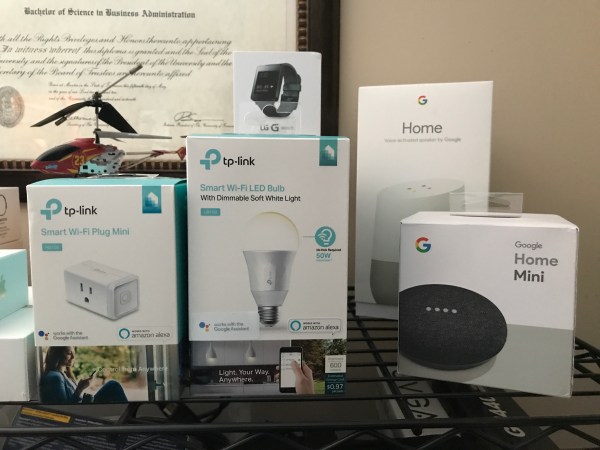 Google Home is currently slotted against Amazon’s Echo and the upcoming Apple HomePod in the smarthome “smart speaker” wars, although Apple is touting it as “speaker first”, so we will see how smart it is. Additionally, similar to the Echo, Google Home comes at multiple price-points with Google Home Mini ($49), Google Home ($129) and Google Home Max ($399) — enabling Google to meet the needs of many different consumers and their underlying budgets.
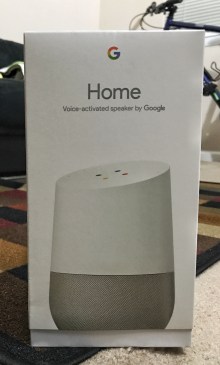
The key features of Google Home is that it gives you and other Google accounts that are linked access to all of your personal calendars, lists, music accounts and all of the smarts of Google itself through the phenomenal Google Assistant. Yes, Assistant is better than Siri in every way Apple fans.
Setup
The first thing that you’ll need to do to get started on your Google Home journey is download the Google Home app, which serves as the primary landing spot of every Google home and entertainment product, including the Google Home, ChromeCast and ChromeCast Ultra. Setup is simple, requiring you to connect the device to your home wifi network and your corresponding Google account. (Note, the first account used will be the primary account on the device, with other accounts being referred to as “linked accounts” that can also operate on the device and receive personal information such as calendars, reminders and place phone calls.)
One thing of importance, is that if you’re wanting to take full advantage of Google Home by controlling wifi enabled devices throughout your home, customizing news and getting personalized results, you will additionally need to download and use the Google Assistant app.
So, now that your Google Home is all setup, likely in your living room, what happens when you go into the office? What happens when you go into your kitchen….. You know where I’m heading with this.
Enter Google Home Mini (or Max). First, let me state that having one Google Home product is enough; however, Google Home Mini devices are very affordable and can be thrown just about anywhere to ensure that your Assistant is always at your side. Additionally, for the audiophiles out there, Google Home Max is nothing short of a complete and utter monster, delivering superb audio quality and rivaling the sounds of Sonos.
Day to Day Usage
Get used to this phrase, “Hey Google” because it’ll be around for a while. Using the Google Home, irregardless of flavor (eg. Google Home, Mini or Max), is simple and straightforward and you’re always pleasantly surprised at things just working great. The microphones are incredibly receptive and can pick up your voice from varying distances away even while the speaker is actively playing something. At times there are hiccups or occasional network blips and that should be expected with any product. The hits are far more than the misses. So what will you ask it on a day to day basis? Some of my most used phrases are for:
- Weather
- Lights and home automation
- Timers
- Music
Additionally, Google has added support for voice calls, I’ve tested this with my Google Voice account and it works flawlessly.
What are you asking your Google Home?
Home Automation
As I noted above, there are literally 1500 devices that can work with Google Home and allow you to control them all with your voice. The way that this is accomplished is that first (unlike with HomeKit enabled devices) you must download the app from the manufacturer, create any required accounts and setup the device there. Afterwards, you link that third party account with your Google account inside of the Google Home app. This is done by going into the hamburger menu and tapping “Home Control”, this will open the Google Assistant app (on iOS), press the “+” button and find your manufacturer there. Login with your account (similar steps to adding and linking accounts in IFTTT) and those devices will appear in Home Control and be at your beck and call.

Privacy
Being a privacy nerd is tough while utilizing Google Home because in order to work properly, Google will need to know a bit of information about you, from your location to your search and web activity; although, there are ways to circumvent this, without exposing all of your data. Google is not some evil company that just wants to know everything about you, the information you give it, is vital to the services and information that YOU get out of it, so when certain aspects of data collection are removed some services may or may not work properly. With that being said, I do not believe in giving entities your real location, so I chose to not give Google Home/Assistant my real address and let it triangulate it by where my wifi router is. Additionally, apps that use your location, depending on what they are, can be nefarious — so I’ve turned off all location services from Google.
I let Google keep 3 data points:
- Web and search history
- Youtube watch history
- Youtube search history
Web are search is the only option that is crucial for Assistant to work properly, so in this case with the only queries I push to it being voice, I deem this as acceptable and manually delete things that I do not wish for it to have. An additional way to remediate this data grant is simply to not use the Chrome browser. I have proudly switched back to my once favorite web browser, Firefox. This allows me to more consistently use my search engine of choice, Duck Duck Go and limit the data that I pass into Google. Lastly, just mute the darn thing!!! This is something I certainly do when I am not using it for an extended period of time or if talking about sensitive things.
Final Thoughts
Google Home is fun, exciting and ever growing. Regardless if you’re part of the Google, Amazon or Apple ecosystem — if you have a Google account, this could be an excellent tool for you to use. Additionally, barrier to entry is very low with the most economical option, Google Home Mini, starting off at only $49. Buying one smart device will certainly lead you down the path of “home automation fever”, but it’s a fun one and one that hopefully makes your life a little bit easier.


 DexJohn's PC