Android Wear is great, it really is. But why on earth is fitness tracking an afterthought? Especially when these devices are becoming more and more expensive!
Why does a fitness band at $90-150 dollars do fitness way better than a device, which has fitness companion apps, yet costs upwards of $400? Not only could OEMs include GPS so that runs could be triangulated, the app developers could do a better job at showing us fitness details about ourselves. As noted on the Android Central Podcast (Ep. 254: New toys, old grievances), people that want fitness should just get a fitness band. No. That is where you are wrong. Why should we accept a half-backed solution? If there are fitness apps to go along with these devices, then naturally it should be able to track my fitness-self more accurately. Apple Watch is a perfect example, as it is a premium device at it’s finest; however, the most expensive one (excluding the gold edition) is approximately $1049, with no GPS. New Android Wear devices, with increasingly higher price tags also do not have GPS.
Popular smartwatches.
My question is: Why? With our mobile devices becoming larger and larger, it would be great to be able to track a run with carrying around a gigantic iPhone 6 Plus, Nexus 6 or Galaxy Note 5 — it just makes sense. These bands that are supposed to do so much for us but they cannot integrate such a simple thing as fitness tracking properly.
Bottom line: OEMs, GPS should go in a wearable, period. Until then, I’ll pass on the next round of Android Wear devices.
The crowds are gathered, with Apple devices clinched in hands, to await word from Tim Cook and other important members from Apple. This was quite the impressive event, due to the fact that there were many new things introduced, updated and unveiled.
First, we got down to business with new innovation on Watch OS 2, shown proudly on the Apple Watch. Health is the focus here, with doctors having the ability to help pregnant moms, to viewing the health stats of a patient that he is currently in transit to — big help and a good innovation here. (These are likely enterprise only features that would not be used by the general public.) Innovation is innovation, nonetheless.
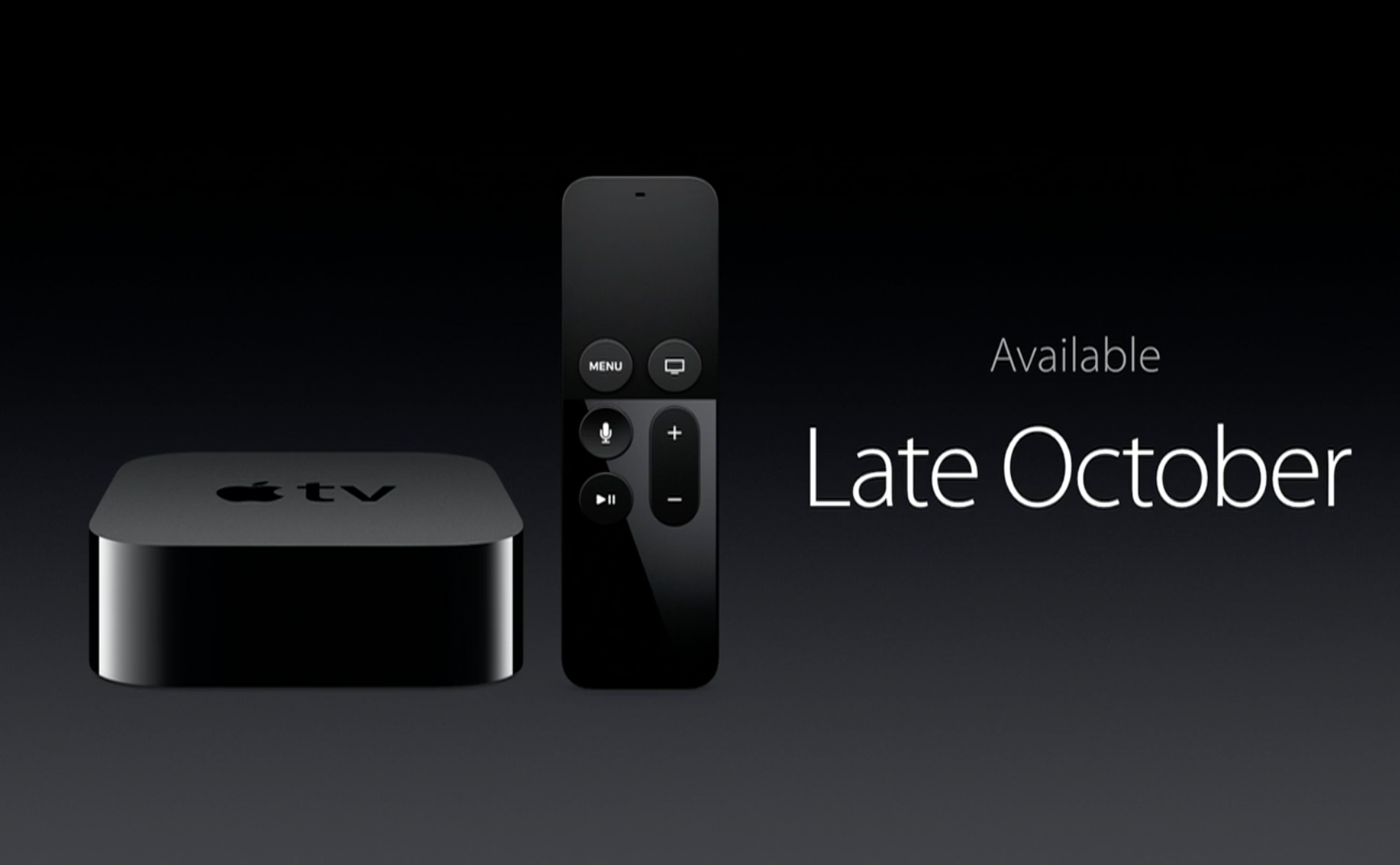
Next, we get into Apple TV and the new iPad Pro. Let’s start off by saying, the re-imagined Apple TV is just what Apple needed. The previous generation was nothing short of horrific. No apps, no apps and no apps. If it couldn’t be cast by Air Play or use one of the built in features for the Apple TV, you were not going to watch it. The new Apple TV features a curated version of the iOS App Store that has room for fun games and excellent interactive apps. Then you have the new Siri enabled remote, which allows you to ask questions regarding movie titles and more and essentially guide you through your experience on the device. Some question the amount of talking you are going to do with the remote in hand; however, the way it is designed — you may almost be forced into using the voice features. The remote does not include a directional pad as the previous iteration did, it includes a swipepad. However, the App Store addition alone is enough for owners of the previous generation to automatically upgrade. Yes, do it.
Refreshed Apple TV.
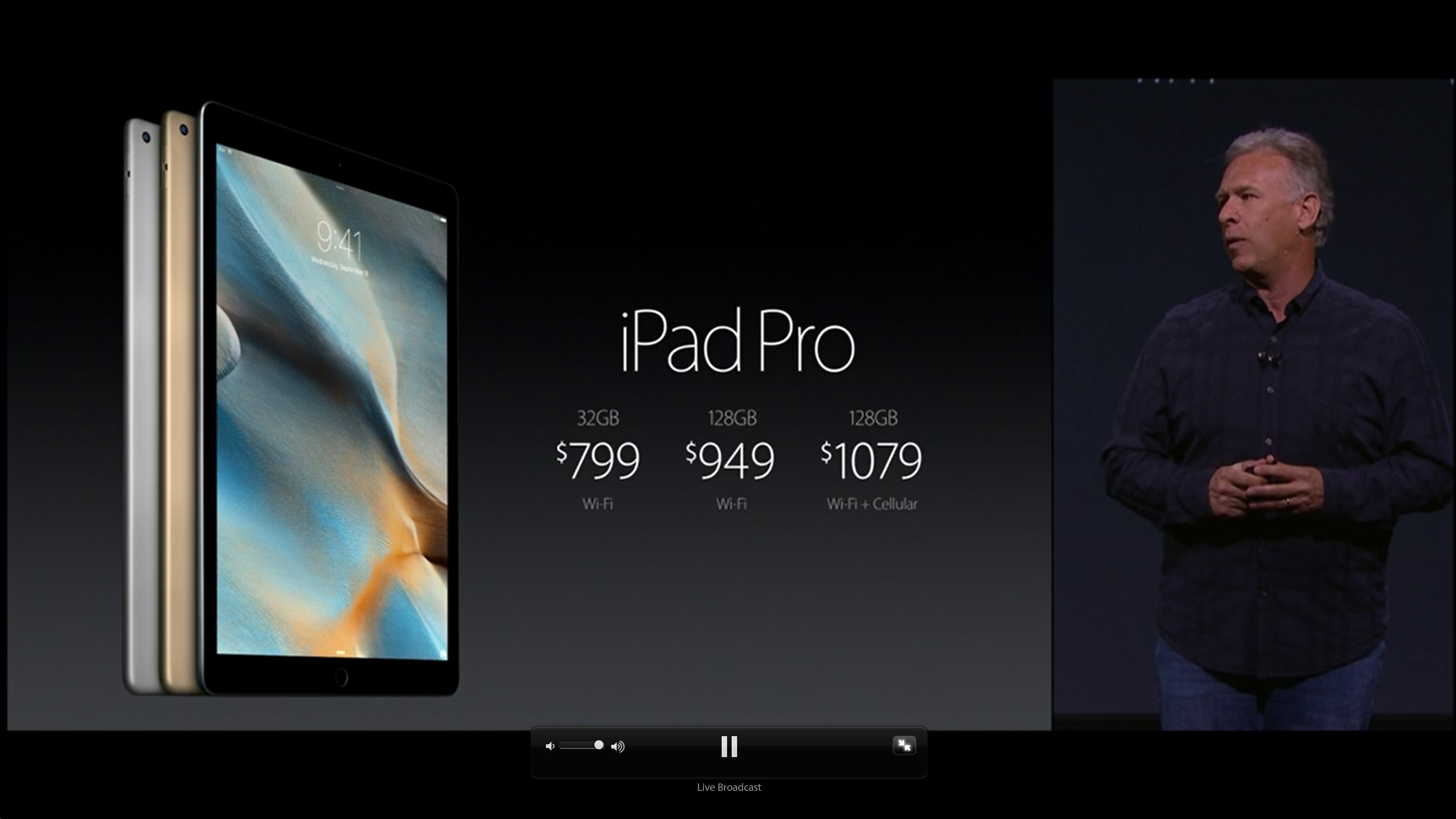
Let’s talk about the iPad Pro. Apple’s new 12.9″ behemoth of a tablet, starting off at $799 at the lowest storage option, is seemingly the company’s answer to the Microsoft Surface tablet. “The most powerful iPad yet” and they are not lying, this thing is a monster, paired with the optional keyboard cover and Apple Pen and you have quite the creation tool. The Apple Pen will allow for intensive graphics creation from supporting Adobe apps, in addition to more creation inside of the Microsoft Office suite. This tablet will certainly only appeal to a select audience due to it’s price tag and large size. As we know the iPad Mini is the best selling Apple tablet, and it appears that it will stay that way, even with the introduction of a larger sibling. Note that in order for you to have the full experience that Apple was touting, this setup with cost you a little over $1000, even at it’s lowest storage option (remember the mention of a select audience?). Let’s not forget to mention that this guy is packing 4 speakers, making for a better stereo sound experience.
iPad Pro lineup.
The part of the presentation that we were all waiting for, iPhone. As we have come to expect, the S lineup is usually a small iteration on the lineup that came before it; however, this time is different for Apple. This time, Apple has actually made big under the hood changes (that is, instead of making one new change and making you shell out more cash for something trivial).
New A9 processor which should be much improved from the previous generation
2 GB of RAM, increased from 1 GB
5 MP iSight camera
12 MP rear camera with 4K video
3D touch (Apple’s new take on a long press, deals with pressing the screen with variable pressure to initiate and can bring up different context menus on apps)
[Source: CNet, Everything you need to know about the iPhone 6S]
Is this “S” iteration worth the upgrade? As with any S upgrade, it’s up to you, as history shows itself, the S is always better than the previous, it is hard for me to understand why you would buy any Apple phone that’s not the second generation, as you don’t have to have every iteration. Users of the iPhone 6 may not wish to upgrade so soon, but if you are carrying around a 5S, this is almost a must buy.
Overall, this was the best press event of the year (to date) in regard to releases and news from from the presentation.
The time finally came for me to put my Android device down, take out the SIM card and insert it into a freshly purchased Apple iPhone 5s.
Was I nervous, afraid and think that I’d hate it? Yes.
Did any of those feelings last longer than one day? No.
Enter iPhone 5s, let’s get started!
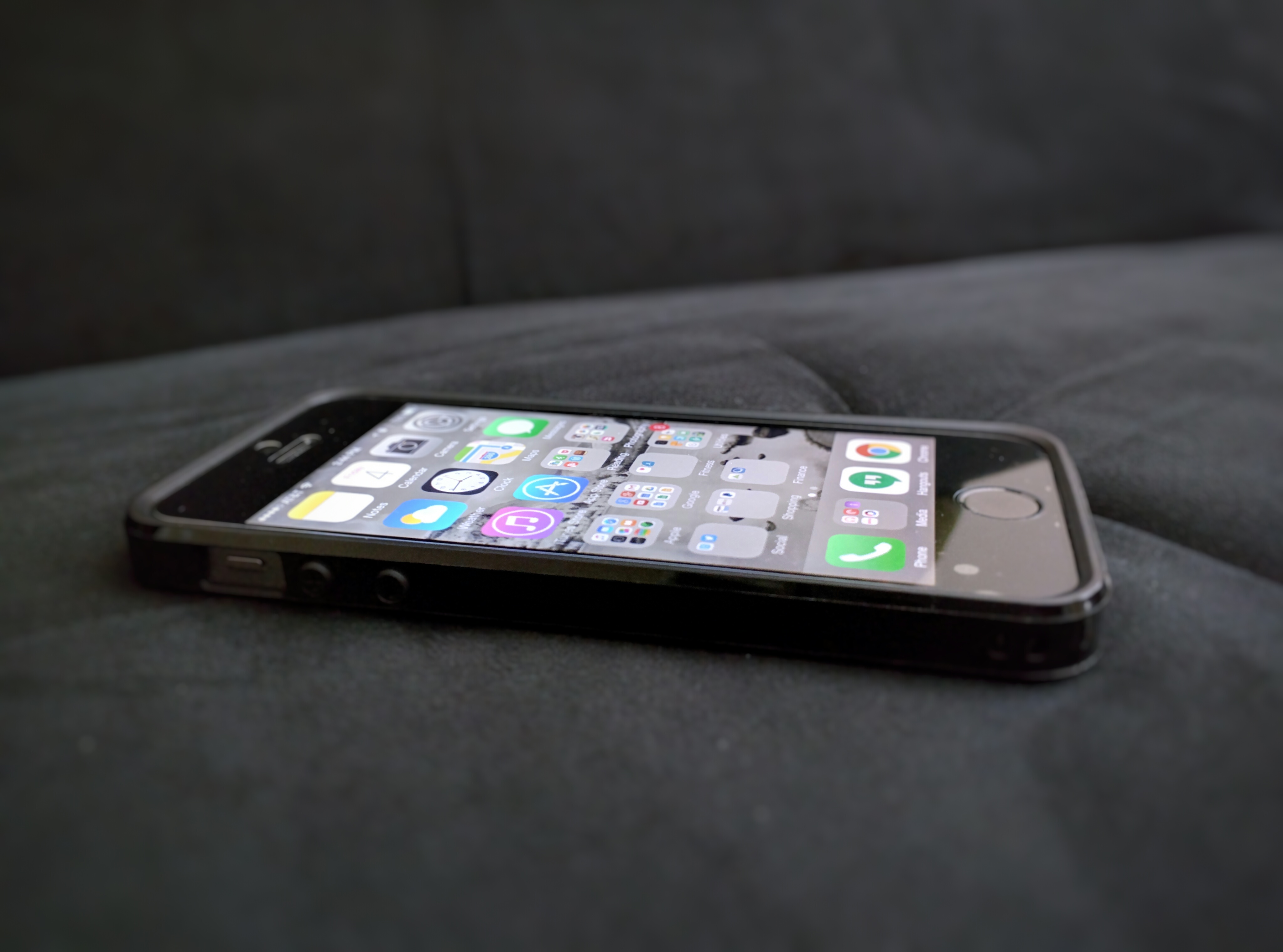
iPhone 5S.
A test, especially when you are trying to dive into a completely different world (iOS rather than Android) is nothing that should be taken lightly, can be daunting and should be of an adequate length of time to fully immerse yourself into the device and it’s ecosystem. This was a test of 7 days with certain parameters to ensure that I was fully in iOS as much of the time as I could be:
No going back to Android (Explanation: If there was an action that I could do easily with an Android smartphone, I was not allowed to do so — I had to figure out how it could be done on iOS or simply do without).
Must use the device as my “daily driver” for 7 complete days.
Cannot carry my Android device of choice (Moto Nexus 6) around as a backup.
Let the games begin!
One of the first things that you will notice about an Apple device is its attention to detail, just how well the device is constructed and trying to follow that “it just works” flow with the apps that are built in. And I must say, the apps that are bundled with the iPhone work well and are very consistent. Setting up security during the initial setup was painless with PIN to lock as well as Touch-ID, which is absolutely phenomenal (more on that later). After this initial phase, it was time to get down and dirty and install some of my favorite apps. Being someone who pays attention to iOS, apps and all major device releases, at this point we all know that the apps that matter are on all of the mobile ecosystems — so there was no hassle in finding the same apps that I had on my Nexus 6, in addition to a few other iPhone exclusives, to put on my new device. There were the must have apps: Pocketcasts, Gmail, Google, Google Photos, Hangouts (because I use Google Voice exclusively), Chrome and a few more that had to be installed first — this was all done during the night before that day that I was to begin using the device as my daily driver.
Fast forward to day number one. I unplugged the iPhone from it’s charger and didn’t really know what to expect during my day; however, there were a few things, that just in day one I noticed within hours.
TouchID is phenomenal. Apple truly got something 100% correct here, which is why this feature has been duplicated, some not as well, in other devices that are on the market today. Using ID to unlock your device is almost instantaneous it is so fast. In addition, many apps that implement security features, such as PIN numbers to access Credit Karma, allow TouchID to be your method of sign in, which is just further eliminating tapping away incessantly on the keyboard. Way to go Apple, way to go.
The App Store is really bad. I will not go so far as to say it is horrible, but it is really bad. Why?
App discovery is almost non existent here, it seems that the App Store is just overrun with games instead of apps to help make your life easier and while those are there you have to shuffle through the likes of Dungeon Boss and Minecraft to get to them.
Why are there two stores in iOS? You have the iTunes Store and the App Store. If everything was compiled into one convenient location it seems that it would make it easier on the user to go to a one stop shop.
Text is incredibly clear not only indoors but outdoors as well with direct sunlight.
Consistency throughout. Every app, regardless of how powerful you think it may be, launches in the same amount of time and it is simply refreshing. Not only do they launch at the same rate, but you get back to the homescreen (or initiating folder) at the same rate. Some might view this as boring (which, admittedly, it kind of is) but it is also very consistent. Consistency is key here when talking about iOS, it is certainly the most consistent mobile OS experience that I have had to date for these reasons. Let’s have a look at an example, shall we? There are a few notoriously bad apps in Android that seem to take their sweet time opening, while at times they are instant others leave you wondering is the app just in a bad mood today. (Here is an odd fact, these are all Google apps and they perform and look better on iOS)
Google Play Music on iOS just opens and I hate to use that “just works” mantra here, but it does. I did several performance tests here to validate my findings. I grabbed my Nexus 6 and opened the app the same time and about 7/10 the iPhone would somehow always win; however, the iPhone does not handle this app better because it opens quicker, it handles this app better because it consistently opens and closes the app at the same rate, regardless if it is being switched from or into or started fresh after swiping the card away.
YouTube on Android (to put it blatantly) has sucked for a long time, the app truly had a mind of it’s own when opening and speed was something that surely wasn’t a focal point. This has largely been fixed now; however, it still hiccups at times (which happens in every mobile OS, even iOS — more on that later). I performed the same test that I performed with Google Play Music and the results were the same; however, YouTube is not the offender that it used to be on Android.
Going back. Back buttons and back actions exist all over the mobile sphere. But does Apple get it right? Partly yes and it has nothing to do with a hardware button since the only button on the device that actually manipulates your position in the OS is home. So although Apple doesn’t have the physical back button here or on screen, developers do an excellent job at providing that navigation in the app and the experience is nothing short of spectacular. One swipe to the right, in most apps, will return you to the previous screen consistently and there isn’t much learning that needs to be done to recognize this.
Notifications are a pure afterthought in the grand scheme of things. You’d have to be pretty blind in Apple love to miss the fact that notifications were never meant to be focal point in iOS; however, this is essentially by design. Notifications come in through the Notifications tab in the pull down menu and they might as well stay there with as many swipes and taps that it takes for you to remove them! Clear all, please. Please.
Although the latest version of iOS (8.4.1) allows for probably the most amount of customization and sharing you are still limited here. I will simply say that I tried to share a picture and failed miserably. Sending a simple photo to my wife resulted in failure, so much that I just said forget it. In this case, I wanted to share a picture from Google Photos to Hangouts, which is my primary messenger since I use Google Voice; however, the share was not allowed. I was pleasantly surprised to see that I could share to another number of apps, such as GroupMe; however, you would think that as a messaging app it would allow shares to be initiated between the two regardless. (It is difficult to tell if this is Hangouts issue or if it’s an Apple issue, we can call it 50/50 for now. More on this later.).
Day to day interactions throughout the week continued smoothly. I was honestly very surprised that I was not reaching for my trusted Nexus 6 more over these past few days; but for the most part I did not need to. My apps experience on iOS has been very good, except for a few hiccups that resulted in an Apple screen during the update process of a few apps, even a few dropped frames here and there (as I stated before, every mobile OS has hiccups, this is something that some iPhone users probably do not want to admit). Otherwise, I have been flipping through apps like a pro and honestly trying to see just how smooth transitions can be when going back and forth between apps and you could probably guess how these tests went? Smooth, consistent and all resulting in a great end-user experience. Throughout installing app after app I was wondering if this would have a negative affect on battery life; however, it has been nothing short of stellar, as I am typing this my iPhone is currently sitting at a comfortable 67% battery remaining. Speaking of battery life, I cannot forget to mention that standby time is better than any device I’ve ever touched. If you take this phone off of the charger at 100% and leave it alone, you will return hours later to see it either on the same percentage or very close. Hopefully, these types of battery issues for Android are fixed in the 6.0, Marshmallow, update. One thing to note, is that it doesn’t seem like one app can kill and bog down your entire system in ways that Android apps are prone to do due to bad coding and this is likely due to the sandbox that you are placed in when using iOS which in this case is a great thing because Apple is controlling the user experience; however as noted above, controlling the UX can be a bad thing when sharing a simple picture fails. Google’s apps on are iOS are nothing short of gorgeous and one irritating part about each app is that it honestly performs better than it’s Android counterpart with the exception of GMail and Google Drive and it’s included suite of apps.
Being a big fan of music and podcasts, the built in Podcasts app was a dream come true; however, I eventually replaced it with my trusted Pocketcasts, it is still useful on its own. When it came to listening to music, as I mentioned the Google Play Music app worked perfectly and sound was surprisingly good for the one speaker that the iPhone 5S has, although at times it could be tinty and somewhat unsubstantial. I’d certainly like to see front-facing speakers on the next iteration, doubt it will happen but can a guy wish?
Enough about the overall good experiences. What are some things that truly annoyed me?
Apps that I don’t like I have no way of hiding, I am limited to putting them in folders and letting them sit there taking up valuable screen real estate. There is no way that you will like or even use every app that your smartphone ships with, it should be the users choice if they want to see it on their screen.
Next, Siri — yes, your friend Siri is absurdly terrible, aside from a few cutesy responses she can give you, this “assistant” does nothing of the such. It’s not because it cannot accept basic commands such as setting reminders but it is horrendous at voice recognition and seemingly limited in the types of results that it can display back to you.
Widgets in the Today pane are not only confusing but odd because of the fact that there are certain ones that cannot be removed (of course) only rearranged. If I don’t want the calendar there, let me remove it.
The ability to change my keyboard to SwiftKey is great; however, at certain points the Apple keyboard would just take over. Although permissions for SwiftKey were granted after installation, it was as if Apple didn’t trust SwiftKey on some password screens so it would pop up, which in turn required me to change it back again at some point after I was done entering text.
Workarounds. Some things you cannot do directly in iOS. For example, if I’m using Google Hangouts (or any 3rd party SMS app) it cannot be my default client, so apps cannot share directly in to it. So if I wanted to share a picture to it, it couldn’t be done inside of the app itself. This is even more apparent when you’re using multiple 3rd party apps. If it’s on your device it should be able to talk to anything else that is there as well. This does not hold true when in regard to every third party app, but is definitely true when dealing with Hangouts, this could a miss on Google’s behalf or it could be the fact that Apple wants Messages as the default messenger app for the OS. On the other hand. anything can be shared with GMail.
The verdict.
Do I hate iOS? No. Do I like iOS? Yes! It is great and so is Android. That is such a cliche answer; however, there are things to love about each OS and each ecosystem that their respective users live in. iOS offers a consistent, predictable experience. One in which you know what you are getting and you are OK with certain boundaries and limitations as long as your device is stable and you can reach certain apps that you need to. There was not a time that an app caused me to wonder, “Why is the app loading so slowly?” or “Why did that app not close when I hit home?” — never, iOS being a touch first operating system simply responds in a reasonable and consistent manner.
There is certainly room for iOS in my life and this is not the last time that I will carry an iPhone as this is now my personal device I will continue to use it and grow in my experience, as well as continue to use my Android devices; so, using both will work for me.
Is iOS better than Android? Is Android better than iOS? Both of these questions are a matter of choice and while one day while out with your friends putting the SIM into your iPhone might be the better choice, going for a day at the lake may call for Android. The choice is yours, at the end of the day I still love my Nexus 6 and it will be my more dominant daily driver, the iPhone will certainly make regular appearances.
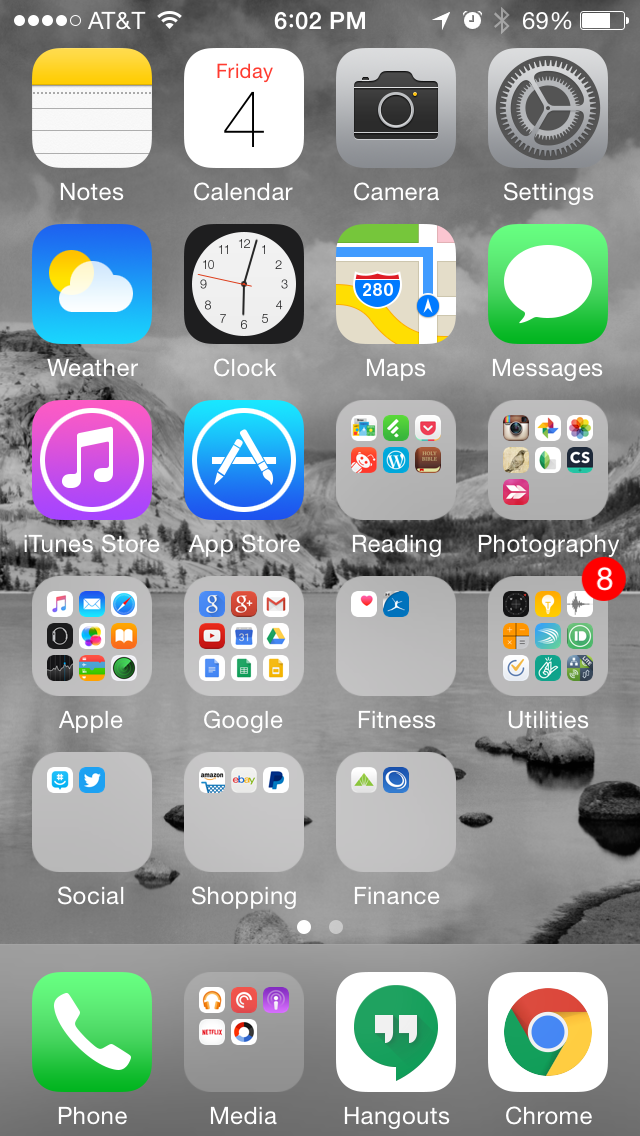
In case you are interesting in seeing my setup, see my 1st homescreen below (it’s the only one that matters, the other page only has 2 apps on it with no folders):
Android app permissions can be daunting and somewhat terrifying when you look at them. It can leave us wondering why does a calculator app need access to my microphone or contacts list. I hope that this post can put your mind at ease when installing a new app from the Play Store.
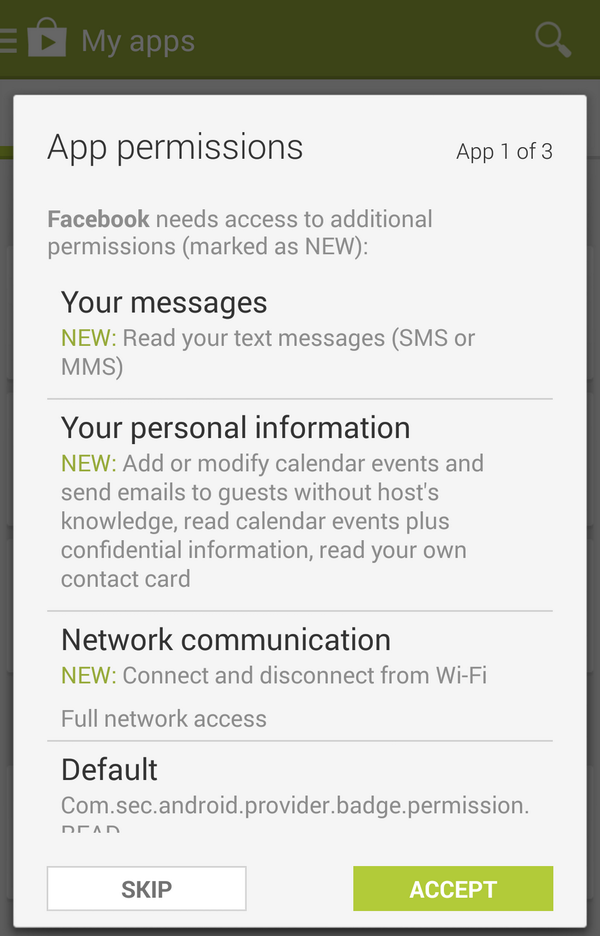
Here is an example showing the notorious Facebook app permissions below:
There is a legitimate reason that apps need access to certain hardware and list items of your device let’s break it down.
Why would an app need access to your:
Messages?
Some apps can push data directly to your SMS messages (eg. Inserting a link), without this functionality, it could make some apps far less useful.
Camera?
Perhaps you’d like to take a picture and push it straight into the app? Instagram, Hangouts and many other popular apps need this permission.
Contact list?
Apps can traverse through your contacts and see others that have that app installed and allow you to communicate with them. (eg. Snapchat). This will allow you to communicate with people that you know, just in a different way.
Storage?
Saving things to your device can be vital, this doesn’t mean that the app will read all of the contents of your ROM (if it did you’d know because it would be accessing it for some time).
Network?
If the app uses data for any type of transfer (eg. Loading lists, pictures, sending items, etc) the app will need to use your mobile or Wi-fi data.
Calendar?
In some cases you may want to export an event to your calendar. In the example above you notice that Facebook utilizes this.
Microphone?
No, your phone is not listening to you all the time. But I bet you like dictating text messages instead of tapping away while driving. Or you like to be able to do voice conferences with video.
In conclusion, although we ask ourselves why does an app need so many permissions when they utilize them to the fullest and make the app just work. In the upcoming Android 6.0 (Marshmallow) release users will be able to restrict certain permissions so if you don’t want your text message app using your microphone, disable it. Just don’t expect to dictate a message until you turn it back on!
Apps need permissions and all apps are not out to get you, especially ones that are available in the Play Store. Stay safe and watch apks that are downloaded from untrusted sources — those could harm your device; however, when it is obtained from a safe source, the app will work as designed and use the permissions as needed.
Bottom line: Don’t freak out about this stuff, your apps need these permissions to work the way they do. Removing them will only hamper your experience.
The test we’ve all been waiting for. A longtime Android user will revisit iOS. For some time others have always thought that I’ve never used Apple’s mobile OS, you couldn’t be more wrong as I’ve used it heavily in the past, which is why I know about it and can speak on it to a good degree. However, now the test will begin as I will use the latest version of iOS on an iPhone 5s as my daily driver for one full week.
I will break down what’s good, what’s great and what absolutely sucks.
Until then!
Tech for the masses, meant to empower, educate and inform by Dexter Johnson.

 DexJohn's PC