One central remote, sometimes it’s a dream we never obtain; however, with technology anything is possible and it’s always fun when you’re incorporating it into a smarthome setup.
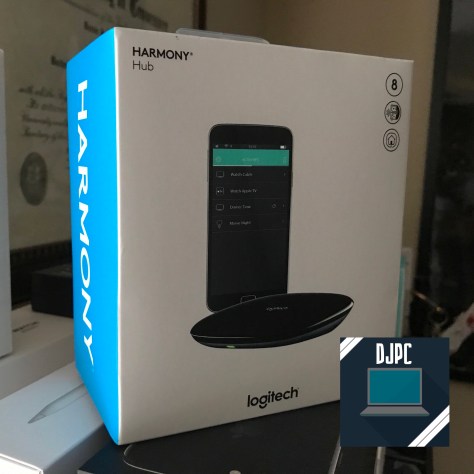
Enter Logitech Harmony (model 915-000238).
Design
There are no questions to be asked about the “cool” factor, it’s on 100 and this device gives you and your household the ability to manipulate the devices that are paired with your Harmony Hub. This little guy works with TVs, Roku, Cable, video game consoles and even Phillips Hue lights (sorry I am on the TP-Link wagon) making this a solid addition to your living you and one that disappears given it’s unassuming look.
Setup
Setting up your Harmony Hub is very easy, it can be done either by connecting it to your PC via USB or simply downloading the Harmony app, which is preferred since you’ll need it to build activities and more later. Once you have the hub connected to your network and running, you connect your devices. Harmony will automatically detect devices that are connected and suggest that you add them (eg. Roku, Android TV, Apple TV and others).
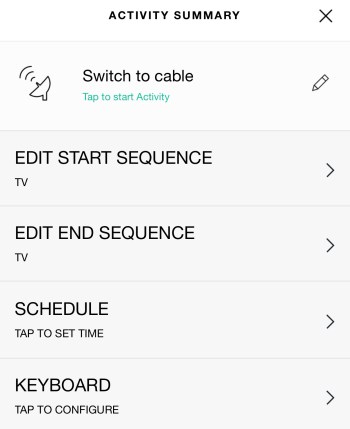
Fair warning, simply because setup is easy does not mean that your activities (programmable scenes) will necessarily work all of the time. Logitech uses a Start/End Sequence builder of getting things done, which work with a wide range of electronics, the only issue that I encountered was being able to consistently turn off and on my TV, with that being said, I created a generic “Activate TV” activity that will always run so that Harmony will always be awaiting my commands. Hopefully, this is a hack that you do not need and is likely due to the age of my set, nearing 8 years.
Logitech Activity builder.
Additionally, when creating an Activity, Harmony utilizes the Start Sequence to turn on all of the devices required for completion of that activity; however, at the end, during the End Sequence it wants to turn those same devices off — which makes no sense when you are watching Netflix, then want to issue the command “Watch Youtube”, which in the background is using the same set of devices.
Usage
Once you have Harmony setup the way you want, with any hacks that were needed to accomplish this setup, you pretty much set free to control your living room via your smartphone or digital assistant such as Google Assistant or Amazon’s Alexa. Personally, I have my Harmony Hub integrated with Assistant so that I can utilize it with Google Home. Integrating the two is different that most Home Control devices, so to accomplish this say “Hey Google, as Harmony to link my account”, from there you will be presented with a card that will allow you to link the two.
From there if all goes perfect, perhaps you can get an experience like the below (my original video was flagged for the music I asked Google to play, it happens):
See the below example of activities I have created for my Harmony Hub setup:
Final Impressions
The Harmony Hub is very powerful, but it is not for everyone. Sometimes things work and other times they don’t….. The sequences that you do build are very powerful to accomplish tasks; however, in order to get simple things done can appear arduous and cumbersome but once things are in place, it is nothing short of magical.
Ah, Google Home and the omnipresent Google Assistant……just works and whether you are looking to get into home automation with over 1500 devices available, wanting Google Assistant smarts or wanting quality sound — you can get it from one of the Google Home options.
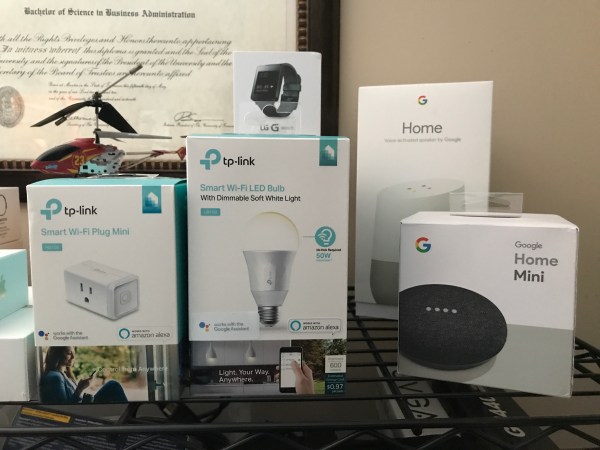
Left to right: Google Home Mini, Google Home, Google Home Max
Key Review Points:
How easy is setup?
How many devices should I use?
Is Google Home good for home automation?
How is Google Home for the privacy junkie (like myself)?
Background
When you receive a Google Home for Christmas, then proceed to lose your mind buying “smart” everything, a review is the least that I could do.
Google Home is currently slotted against Amazon’s Echo and the upcoming Apple HomePod in the smarthome “smart speaker” wars, although Apple is touting it as “speaker first”, so we will see how smart it is. Additionally, similar to the Echo, Google Home comes at multiple price-points with Google Home Mini ($49), Google Home ($129) and Google Home Max ($399) — enabling Google to meet the needs of many different consumers and their underlying budgets.
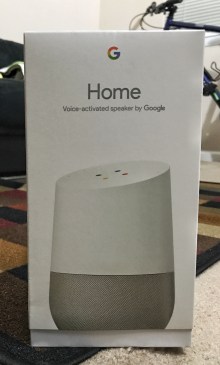
Google Home.
The key features of Google Home is that it gives you and other Google accounts that are linked access to all of your personal calendars, lists, music accounts and all of the smarts of Google itself through the phenomenal Google Assistant. Yes, Assistant is better than Siri in every way Apple fans.
Setup
The first thing that you’ll need to do to get started on your Google Home journey is download the Google Home app, which serves as the primary landing spot of every Google home and entertainment product, including the Google Home, ChromeCast and ChromeCast Ultra. Setup is simple, requiring you to connect the device to your home wifi network and your corresponding Google account. (Note, the first account used will be the primary account on the device, with other accounts being referred to as “linked accounts” that can also operate on the device and receive personal information such as calendars, reminders and place phone calls.)
One thing of importance, is that if you’re wanting to take full advantage of Google Home by controlling wifi enabled devices throughout your home, customizing news and getting personalized results, you will additionally need to download and use the Google Assistant app.
So, now that your Google Home is all setup, likely in your living room, what happens when you go into the office? What happens when you go into your kitchen….. You know where I’m heading with this.
Enter Google Home Mini (or Max). First, let me state that having one Google Home product is enough; however, Google Home Mini devices are very affordable and can be thrown just about anywhere to ensure that your Assistant is always at your side. Additionally, for the audiophiles out there, Google Home Max is nothing short of a complete and utter monster, delivering superb audio quality and rivaling the sounds of Sonos.
Day to Day Usage
Get used to this phrase, “Hey Google” because it’ll be around for a while. Using the Google Home, irregardless of flavor (eg. Google Home, Mini or Max), is simple and straightforward and you’re always pleasantly surprised at things just working great. The microphones are incredibly receptive and can pick up your voice from varying distances away even while the speaker is actively playing something. At times there are hiccups or occasional network blips and that should be expected with any product. The hits are far more than the misses. So what will you ask it on a day to day basis? Some of my most used phrases are for:
Weather
Lights and home automation
Timers
Music
Additionally, Google has added support for voice calls, I’ve tested this with my Google Voice account and it works flawlessly.
What are you asking your Google Home?
Home Automation
As I noted above, there are literally 1500 devices that can work with Google Home and allow you to control them all with your voice. The way that this is accomplished is that first (unlike with HomeKit enabled devices) you must download the app from the manufacturer, create any required accounts and setup the device there. Afterwards, you link that third party account with your Google account inside of the Google Home app. This is done by going into the hamburger menu and tapping “Home Control”, this will open the Google Assistant app (on iOS), press the “+” button and find your manufacturer there. Login with your account (similar steps to adding and linking accounts in IFTTT) and those devices will appear in Home Control and be at your beck and call.
Google Home, Home control.
Privacy
Being a privacy nerd is tough while utilizing Google Home because in order to work properly, Google will need to know a bit of information about you, from your location to your search and web activity; although, there are ways to circumvent this, without exposing all of your data. Google is not some evil company that just wants to know everything about you, the information you give it, is vital to the services and information that YOU get out of it, so when certain aspects of data collection are removed some services may or may not work properly. With that being said, I do not believe in giving entities your real location, so I chose to not give Google Home/Assistant my real address and let it triangulate it by where my wifi router is. Additionally, apps that use your location, depending on what they are, can be nefarious — so I’ve turned off all location services from Google.
I let Google keep 3 data points:
Web and search history
Youtube watch history
Youtube search history
Web are search is the only option that is crucial for Assistant to work properly, so in this case with the only queries I push to it being voice, I deem this as acceptable and manually delete things that I do not wish for it to have. An additional way to remediate this data grant is simply to not use the Chrome browser. I have proudly switched back to my once favorite web browser, Firefox. This allows me to more consistently use my search engine of choice, Duck Duck Go and limit the data that I pass into Google. Lastly, just mute the darn thing!!! This is something I certainly do when I am not using it for an extended period of time or if talking about sensitive things.
Final Thoughts
Google Home is fun, exciting and ever growing. Regardless if you’re part of the Google, Amazon or Apple ecosystem — if you have a Google account, this could be an excellent tool for you to use. Additionally, barrier to entry is very low with the most economical option, Google Home Mini, starting off at only $49. Buying one smart device will certainly lead you down the path of “home automation fever”, but it’s a fun one and one that hopefully makes your life a little bit easier.
It’s never a good thing to suspect that a company, especially one as large, controlling and expansive as Apple, could be doing something nefarious. This certainly is not the case, Apple is not doing anything to make consumers purchase new devices or give up on their old ones. However, what they did do, in traditional Apple fashion, is lack tact in delivering information to consumers, who just so happen to be the ones making them billions.
What is happening?
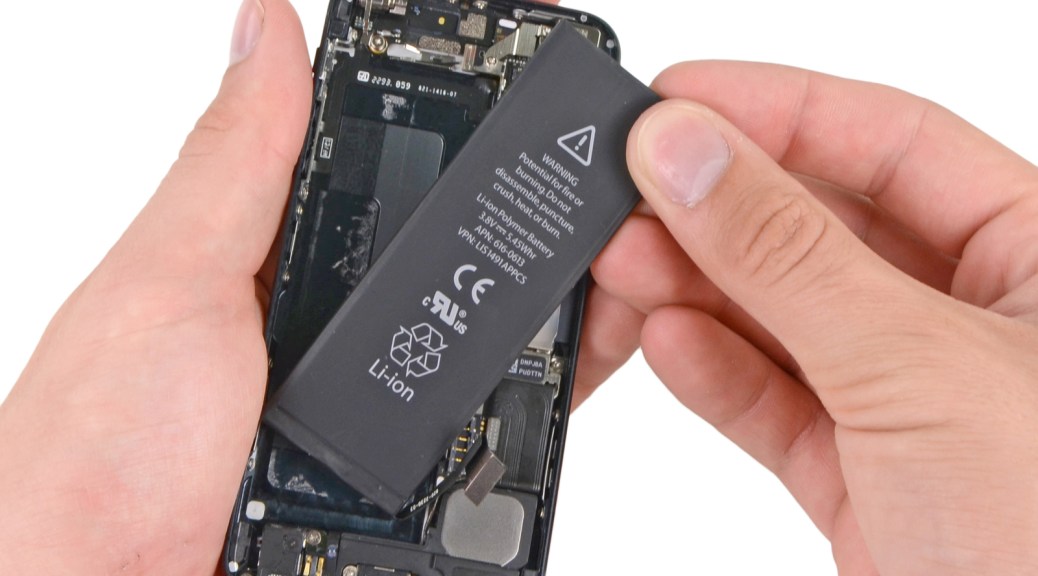
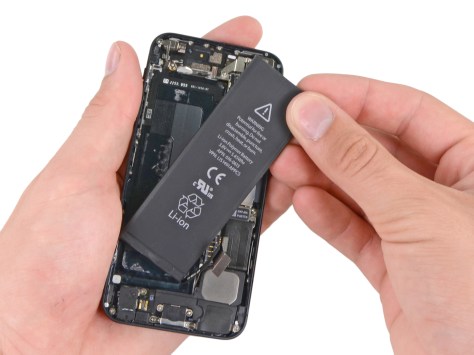
Over time lithium-ion batteries degrade. It has become common knowledge that your smartphone battery (any rechargeable battery for that fact) will hold less and less change as it only has a lifetime of so many charge cycles. With that being said, given the fact that your smartphone battery has limited life, develops wear and tear and will hold less and less charge over time it might make sense to slow an older phone down, right? Smartphone apps are not getting any less demanding nor are the mobile operating systems that contain them.
Due to the systems and applications that are on our mobile computers needing such power, they simply strain the battery too much for them to remain properly functional, meaning that Apple will throttle the performance of your CPU when it detects that the battery has a certain level of wear. When CPU spikes occur, sometimes we feel our phones getting hot (it simply means that it’s working hard under load); however, when you’re dealing with sensitive internals of a device — if your battery already a tremendous amount of wear, spike after spike of the CPU could have your device shutting off because it simply cannot handle the operations (we’ve seen this on iPhone 6), have it’s battery life plummet or worse, mechanical failure of the internal components. Users noted that after they got a battery replacement on their device it seemed to function normally presumably because no throttling was needed at that point because the battery in the device was of good integrity.
Remember the Galaxy Note 7? You don’t want mechanical failures like that in your precious iPhone.
Apple’s Response
Since the fallout, Apple has publicly acknowledged that this was happening and reportedly has been occurring since the iOS 10.2.1 update when it was noted that the iPhone 6 battery issues had been resolved. This comes as somewhat of a surprise to Apple loyalists when some enthusiasts have been suspecting Apple of “planned obsolescence” or intentional slowdown of older devices in order to get the user to purchase a new one. Additionally, Apple has noted that a future software update will give users insight into the health of their battery, this will come in early 2018.
My unbiased opinion
The issue that I have is that Apple did not tell customers that this CPU throttling was happening and honestly, they have a right to know, especially with newer phones costing $1000 and more. Don’t just sit back and apologize for Apple (or any technological company) over and over again when they make a mistake — this is wrong and cowardly when you hold such a compelling grip on your customers and can lead to consumer backlash. Perhaps that’s exactly what the company needs to stop being so secretive and oftentimes ignoring what their customers want and think.
On December 14, 2017, you did one of the most thoughtless, insincere, undermining things to an internet that not only you don’t understand — but also an internet that YOU do not own. A little 3-2 vote to repeal the regulations for Net Neutrality — a shame and embarrassing when 5 individuals get to decide on the fate of the internet as we know it. You know that it is bad when the man responsible for the internet itself, Tim Berners Lee, speaks out against you. It’s even more shameful when your clown of a chairman, Ajit Pai, was once Associate General Counsel at Verizon…..who is just one of the entities that would benefit greatly from a rollback of net neutrality protections.
Why is it that we can give ISPs and major corporations so much leeway but not protect the consumers, WHO MAKE THEM RICH? Why is that so Mr. Pai? But it’s obvious your ignorance goes farther than we think on these issues. How is data transmitted over the internet you ask? In packets. A movie file you stream may be billions of packets while that email from grandma may only be one hundred; however, at the end of the day — a packet of data is a packet of data.
It does not matter who sends that packet, who is retrieving that packet or WHY that packet is being sent…the internet is designed to not discriminate and the push those packets along. Yet, when business gets in the way and certain entities business thoughts don’t align, it becomes ok to change that? No. It doesn’t.
To the three individuals voting to strip away the net neutrality guidelines, I hope your internet is severely throttled — better yet, you don’t even deserve internet since you’ve undermined the entire infrastructure of the internet itself. The internet is too good for you.
Final Thoughts
Our internet service providers supply the internet, THAT is it — the problem comes when they think they should encompass your entire experience and insert themselves everywhere. But you’re already paying for internet, so what else could they possibly want from us? Nothing. As it was noted on the Vergecast, AOL had us all fooled by making us think that all of the internet was in that AOL window; however, you could minimize that and open Netscape or Mozilla!! AOL didn’t own it, they simply put a fancy skin on top of it. Now, Comcast and others want to create their own internet “experiences” while killing it at the same time.
DO NOT let lawmakers dismantle the internet. Visit BattleForTheNet and overload them with calls and voicemail citing your disapproval.
Want for find out more about net neutrality? Read a fantastic post from Save the Internet, here to get the scoop on how our internet is supposed to be.
Ah, the iPhone X…….the glorious, magnificent, flawed…..iPhone X. Whether you like it or not, it’s here and I’ve got all the dirty details. My preliminary disclaimer: I will not tell you what to do or not do with your one thousand dollars, that’s up to you my friends!
Background
Leading up to the launch of a new iPhone this year, it has been long rumored that Apple would switch to a bezeless display, regardless if other smartphone manufacturers were or not — it takes years for this stuff so no one is copying off of one another when these features take years to design, test and produce. Apple has had it’s iconic home button since 2007, then with the advent of iPhone 7 and 7 Plus, the button changed from mechanical to software based — that along with it’s usual forehead and chin have been mainstays in determining what is and what is not an iPhone.
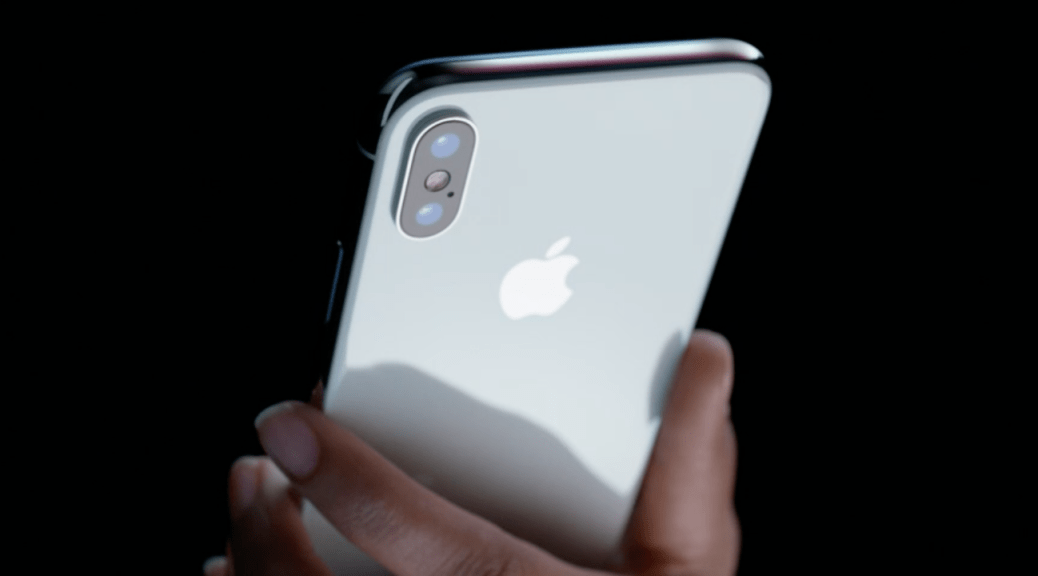
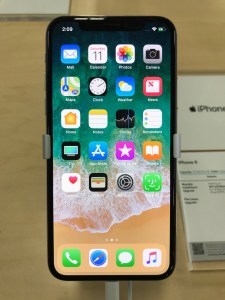
Enter iPhone X. Minimal bezel all around the glass, no home button, simply a “home bar” indicator at the buttom, no forehead and chin — simply a notch (more on that later) at the top that houses the True Depth camera array used in FaceID. This is a radical departure from iPhone of old and when you pick this thing up, you’ll immediatelly realize, it’s a good departure.
Design
The design of this phone, as well as all other iPhones and most of Apple’s devices, is nothing short of beautiful and it feels significant and great in the hands navigating throughout the operating system with an undeniable premium feel.
Next, the thorn in the side of this device that everyone has talked about before it was even released — the top notch. To be honest, you completely forget about the thing as you move throughout the OS and between apps, however, once you see it on a white background or an unoptimized app — it is ugly and in many instances, it can get in the way. There are many Apple centric websites and podcasts that I listen to and frequent, and they note that “once developers update for this” it will be better. The issue with this statement is that this is a design FLAW that has been introduced by Apple and developers are being forced to code around for a device that touts a larger display that the Plus model; however, has actual less usable space because of the notch and the rounded corners on the edges of the display. So, you’re either going to hate or love the notch — for me, I am not a fan as long as I don’t see it….unfortunately, here’s looking at you, developers.
Usability
iOS has been praised for being easy to use and it’s no different here as long as you are fine with a bit of a learning curve. Note, this curve will be fairly straight if you’re a fellow tech nerd; however, it could be problematic for users that love what they are used to. To put it simple, the home bar, could be usability issue for the non-tech enthusiast.
Gestures. The iPhone X is all about gestures and they are nothing short of great.
Swipe up to go home. Swipe from side to side to multitask between apps (this may be the best multitasking paradigm when going between apps on a mobile device, period — it’s that good). Swipe up and hold for traditonal multitasking (same as a double-click of the home button on iPhone 8 and below). See the video below for a sample of the interactions mentioned above on iPhone X:
Control Center additonally has gone through a few changes, the old gesture of swiping up from the bottom is no more as it has been moved to a swipe down from the right “ear” next to the notch at the top — this is something that I’m not a fan of. Not because it doesn’t work, but it’s a paradox to what happens if you swipe down anywhere else. If you swipe down on the left “ear” or from the center of the notch you get notifications. Realistically, one could be unsure how discoverable this can be. However, it is important to note that with iOS 11, Control Center is much improved.
Display
Apple has made the switch to OLED, which gives users more in many ways, such as battery savings on dark backgrounds and more realistic colors (note that Apple’s LCD displays featured on the rest of their devices are simply the best in the business). This display is produced by Samsung, but Apple led in the design of this display and it is absolutely flawless. While the Note 8 display is fantastic and industry leading in many ways, so in this one — thanks Apple!This display itself sits at 5.8″ respectively. While this in itself is larger than the display on the iPhone Plus devices, which is 5.5″ — there is less usable space, which actually gives it a size comparable to the 7 or 8 — non Plus model. This is all because of the design choices that were made on this device with the rounded corners and True Depth camera array at the top. This makes that usable area less wide and seemingly not as tall as the Plus model, leading to less space and wasted space. Seen below:
Have a look at the Human Interface Guidelines here provided by Apple for the best experience on iPhone X, which is somewhat constrained. See below:
Source: Apple
While this display may be great in terms of accuracy, there were compromises made to make it “edge to edge”.
Camera
An iPhone camera is always industry leading and the iPhone X is no different. The cameras (dual) in the camera are the same as the iPhone 8 Plus, except for the fact that the telephoto lens on this device adds optical image stabilization.
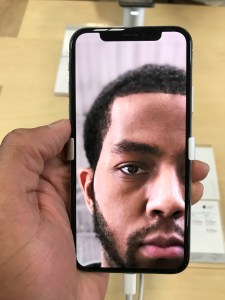
The rear camera produces some of the most realistic shots that I’ve ever seen from a mobile device. The iPhone, just like the Pixel 2 and Note 8 are in a league of their own. Additionally, iPhones X and 8 Plus rear portrait modes are industry leading (alongside the Pixel 2) and consistently will provide an accurate, true to life picture. New with the iPhone X and iPhone 8 Plus, Apple introduced portrait mode on the front-facing camera and it is a complete disaster. Here is an image sample from the front camera:
What needs to be scrutinized here is the distortion around the edges of my hair. You will see that it is blurred out as the subject (me) is detected; however, the software is unable to accurately discern what is part of my head. Note, that portrait mode is an ongoing “test” and has notably gotten better over time.
Wrapping Up
Although, this may appear as a scathing write up, I was actually impressed with the device. Multitasking and gestures are fluid, the camera and display are great and iOS just works in the same consistent and reliable manner that we’ve all gotten used to. No, it’s not bad that the operating system hasn’t changed much over the past few years, radical redesign isn’t always necessary.
However, no phone is perfect and many publications may hint that this one is — it’s not — but we must look at this device as a first generation device. Face it, all of the new features packed into this device such as the True Depth camera system, edge to edge display, Face ID and others are all on an iPhone for the first time. I am not giving Apple a pass here, simply stating a fact and noting that things need time to progress and mature. If you are looking for an experience that you’re used to pick up an iPhone 8 or 8 Plus as it is built off of the iterative design of the 6 and yes, it is darn near flawless. On the other hand, if you must have the new and shiny, you’re not necessarily a Plus user and you’re up for a extraordinary gesture based experience, you simply can’t go wrong iPhone X.
Note: FaceID was not covered as part of this hands-on because the unit used was in demo mode. The demo app on the device appeared to work smoothly; however, for a more in-depth review of the technology, refer to the video below:
Source: AppleInsider
Tech for the masses, meant to empower, educate and inform by Dexter Johnson.

 From there if all goes perfect, perhaps you can get an experience like the below (my original video was flagged for the music I asked Google to play, it happens):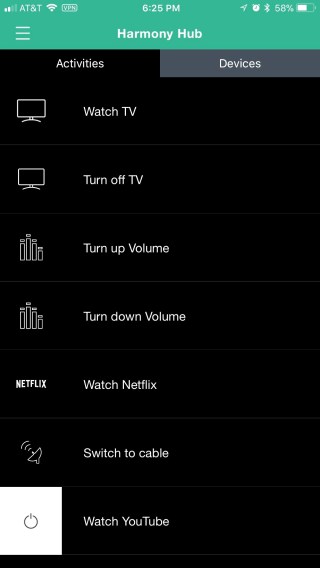







 DexJohn's PC