The test we’ve all been waiting for. A longtime Android user will revisit iOS. For some time others have always thought that I’ve never used Apple’s mobile OS, you couldn’t be more wrong as I’ve used it heavily in the past, which is why I know about it and can speak on it to a good degree. However, now the test will begin as I will use the latest version of iOS on an iPhone 5s as my daily driver for one full week.
I will break down what’s good, what’s great and what absolutely sucks.
This update, in not so many words, in phenomenal. In short, Google took a fast phone that performs well and made it fast-ER and perform even bett-ER.
First off, the Nexus 6 is a quad core device; however, out of the box on Android 5.0 the Nexus 6 would only utilize 2 of the 4 cores in the device for any task. This could easily be pointed out by bringing up and app such as System Monitor and view your CPU processes. Now, this device utilizes all of the cores and it is a stark difference. Recents appear instantly after a button process and overall everything just seems so much smoother as if this is the way it was meant to be to begin with.
In conclusion: The complete user experience is overhauled by being able to utilize all cores of the device, which we should’ve been able to use from the beginning. Excellent job Google, excellent job!
With the release of Apple’s iPhone 6, 6 Plus and iOS 8 there have been a flurry of reviews, some highly one-sided and some more favorable. On DexJohn’s PC, I aim to be non-biased and look at things from a pure technological standpoint. With that being said, let’s review this device shall we?
[This is an Android user’s review after having a brief hands-on with the iPhone 6 Plus.]
Feel of the device:
First off, the model I had time with was the iPhone 6 Plus, mentioned above, has an incredible build quality and overall solid feel to the device. This phone does not feel cheap, overly light or bulky. However, this cannot be said about the predecessor to this device, the iPhone 5/5S — this model looked well crafted; yet, after holding feels almost too light and unsubstantial (as if a breeze could whisp the phone away from your hands). Many early reviews of the device balk at the fact that the camera protrudes slightly from the back. My opinion, get over it! Honestly, when you put a high quality sensor into a device it is o.k. for it to stick out slightly on the back (hence the Nexus 5, Galaxy series devices) or either the phone would be thicker. But you wouldn’t want that would you?
iPhone 6 and 6 Plus in hand comparison.
Since I was dealing with the Plus version, I can say that although the device is the largest iPhone yet — it feels great. My daily driver is a Nexus 5 with a 5″ screen and after using devices like this and the Galaxy Note, this iPhone doesn’t feel that large. One thing to note is that bezels on this device are quite large, so many Android OEMs can put this same size screen (5.5″) into a device and it will be noticeably smaller in comparison. Unfortunately, this seems to be something that the user will have to deal with…that home button seems to be permanently cemented into iOS devices (unless Apple switches to on-screen controls).
Responsiveness and Speed:
iOS has always been responsive, that is one of the “trademarks” of the operating system. Upon the press of an app icon it almost loads immediately. Notice the word, almost. iOS and Android are built using entirely different frameworks with Android being built to mirror Blackberry initially and iOS built for ease of use. With that being said, iOS app launching and Android app launching are essentially a toss up. Here is one difference, while iOS apps launch almost instantly, the content within that app may be slow to appear (this happens in many cases). So, the user will be in the app; however, you will be waiting on content. This is almost the opposite for Android, the app and content load happen almost instantaneously. Notice the word, almost. Neither one of these mobile OSes are perfect and being the stickler I am for performance — I take note.
On the other hand, swiping and moving about the operating system are fine as always — no noticeable hiccups.
Operating System:
In this case, iOS is iOS — a lot really hasn’t changed, which may be my biggest sticking point.
However, let’s start with the good first. The fact that not a lot has changed is a good thing for many seasoned iOS users. The operating system is very familiar and inviting, not to mention easy to use. Upon waking the device, the user will be greeting with a simple UI consisting of a grid of icons, for increased functionality, these icons can be moved into folders to “declutter” the home screens since iOS lacks an app drawer. There are a few new features baked in such as voice replies on the keyboard and Apple Pay, which is essentially a new system for NFC payments — exactly how useful Apple Pay (NFC in general) will be is solely upon the shoulders of retailers.
The bad. While iOS has stuck with the tried and true, many manufacturers (not just Apple) have become content with offering minor tweaks to their “latest and greatest” products. This could have been prime opportunity for Apple to completely alter iOS and make the device that it powers more of a true mobile computer. With that being said, apps still cannot talk to each other and customizations are still essentially non-exist (with the exceptions that keyboards and a few other apps can now be modified)…..unless Apple deems it “fine and good”. One thing to note is that for this to happen, Apple may have to significantly bump up the hardware — if you compare the latest iPhone to any modern Android device, it is easily beaten in terms of hardware; however, the biggest difference is the UX that is achieved on a iOS device.
Overall, iOS itself is not bad as long as you like to stay within the realms defined by it.
Overall Impressions:
The iPhone 6/6Plus is good, darn good.
Is it worth it to upgrade if you have an iPhone 5S? In my opinion, unless you need a larger screen and NFC payments — no; however, the next iteration should be an absolute upgrade. Why? Typically, phones that were released earlier with a newer OS on the hardware (even when tuned to certain devices, which is the case with Apple) will still result in a poor user experience. However, for users that are stuck on the iPhone 4 or 5 — there is no question. UPGRADE.
iOS and Android is all up to personal preference, what mobile OS you use is entirely up to you. As there is no perfect phone, let’s rate this device:
Smartphones have become a staple in the typical “busy” person lifestyle. These neat little devices help manage our contacts, calendars and ultimately our lives. With such powerful peripherals at arms reach one cannot help but to pull their device out for a quick check.
What if you could reach in your pocket less? What if you could receive notifications that keep you plugging throughout your day that are unobtrusive and don’t make you seem rude to people you may be talking to?
The day is here.
Android Wear was officially introduced at Google I/O 2014 and this platform is looking promising from the very beginning. Android was essentially built around the premise of multitasking and notifications that allow you to get a glimpse inside of applications on your device without the constant need to open one up. Android Wear gives you the ability to see all notifications on your wrist and take action on them. This added convenience is certainly a game changer and the industry has taken notice.
Bottom line: The perfect companion to your smartphone is here. It is officially time to free your hands from your pockets and have notifications in your face that are easily managed and there when you need them.
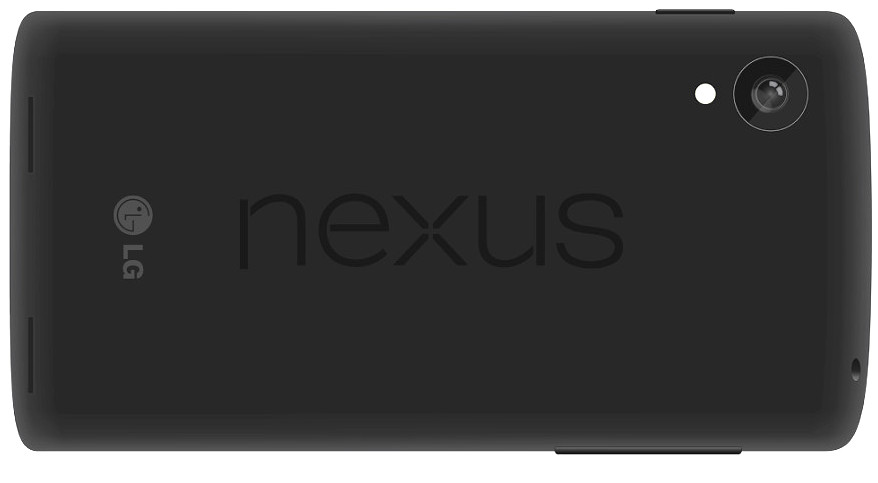
Google fans unite! Rather, pure-Android fans unite. Whether you love the Nexus brand or not — it is always great to see another monumental device along with the latest version of Andriod be released around this time of the year. As a Nexus 4 owner, I am excited for the new features of Android 4.4 (KitKat) as well as the new hardware found on the Nexus 5.
Nexus devices show the market what Android is all about, that is without the skins, colorful overlays and played transitions. This is stock Android at it’s finest. Typically OEM skins can slow down your device and leave the user with a poor experience, which in turn leads them to blame the OS, not the OEM. When in fact you can pick up a Nexus device and always have a wonderful experience.
Nowadays, Android is stable, mature and bold and the software isn’t an issue unless it really brings the device down (Samsung’s TouchWiz, which could be vastly improved if it weren’t for the useless features baked in). The thing that any Nexus device will not have is extra unwanted bloat, be it from the carrier, OEM or vendor — giving the end user an incredible experience directly from Google.
I am ready for the Nexus 5; the next pinnacle of the Android experience.
Tech for the masses, meant to empower, educate and inform by Dexter Johnson.


 DexJohn's PC