Category Archives: Operating Systems

Samsung Galaxy S8 — Quick Look

Android fans, Samsung fans, everywhere unite!  The Samsung Galaxy S8 and S8 Plus are two fantastic devices that will have you saying “take my money”.  What are some of the main draws to this device?  Is it the curved display?  Is it the thinness of the design?  Is it the camera?  It’s actually all of these characteristics and more.

Design

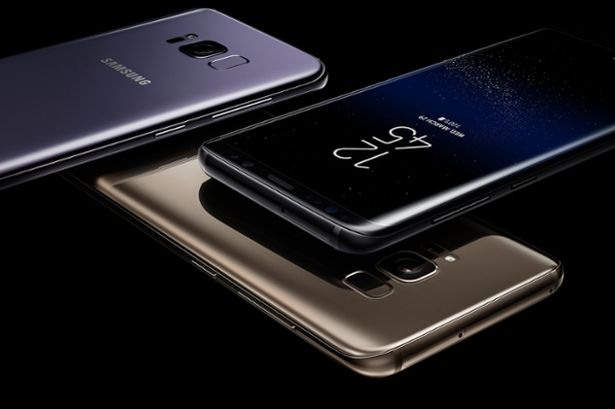
Galaxy S8 takes on an incremental approach in it’s design scheme and is fully embracing its edge display, Samsung touts this as the “Infinity Display”, which leaves little bezel at the top and bottom of the device.  Essentially, you’re either looking at a 5.8 or 6.2″ massive screen.  But what is truly different about this?  These large devices fit inside of other smartphones with larger bezels like the Google Pixel or iPhone 7 Plus; however, the Galaxy S8 devices are a bit narrower making them potentially easier to pocket and hold.

IMG_0101
Front of Galaxy S8.

Hardware

What’s the best camera that money can buy?  That’s right, the one that’s with you.  A camera that is always with you is the one built into your smartphone and the Galaxy S8 camera will not disappoint in one bit.  During my hands-on time with the device (in a local Best Buy) pictures turned out crystal clear and vibrant, which is a usual of most Samsung devices — very pleasant to look at although not the most true to life.  The stock Samsung camera app had absolutely no shutter lag and captured images within an instant of touching the button.  Speaking of buttons, there is no more home button on the latest flagship device with Samsung finally switching to on screen buttons marking a big step forward and aligning the company more with the modern Google design language for devices.  Although the home button is no longer physical, the user will receive haptic feedback when it is pressed on the screen.  (Cool note about the button is that the square that triggers the home action moves around on the screen slightly, unbeknownst to users, to avoid burn in on the screen, nice huh?)

IMG_0102.jpg
Rear of the Galaxy S8, highlighting the camera and the fingerprint sensor.

Since the home button is virtualized, that means that the fingerprint sensor needed to move and in this iteration of the device, it lands itself next to the camera.  This was not the best design decision, as even someone with larger hands has a difficult time reaching the correct spot on the back of the device to activate it.  A giveaway at this fact is because Samsung built technology into the camera to understand when there are extra smudges on it (likely because users are trying to access the fingerprint scanner).  Most Android OEMs either keep the home button on the front or move the sensor altogether to the back middle of the device, which is simply more ergonomic and looks a lot better.

View the complete specifications of these new devices here.


Software & Interface

Samsung has done an excellent job fine tuning the software that comes loaded on their latest flagship device.  The S8 and S8+ come with your standard set of Google apps and Samsung preloaded goodies, and this year the software and interface is it’s lightest yet.  No, I didn’t go into the settings and check how many non-stock apps were installed; their ROM is still not the lightest, but overall feel is much improved from previous years.  From the settings app, to the notification shade the overall user-experience is much lighter and closer to stock, as Samsung has seemed to have taken cues from the complaints of many users over the years.


Bottom Line

The Samsung Galaxy S8 is in elite company here and is certainly one the best built, looking and performing smartphones currently on the market.  Featuring an all new “infinity” display that offers more view-able real estate (although, this new display curves around the edges, it’s still unclear what actual function it serves in other circumstances in the OS) than most other devices on the market.  If you’re up for an upgrade and you’re interested in a new thin, light device with excellent performance — check out the latest offerings from Samsung with it’s S8 and S8+.
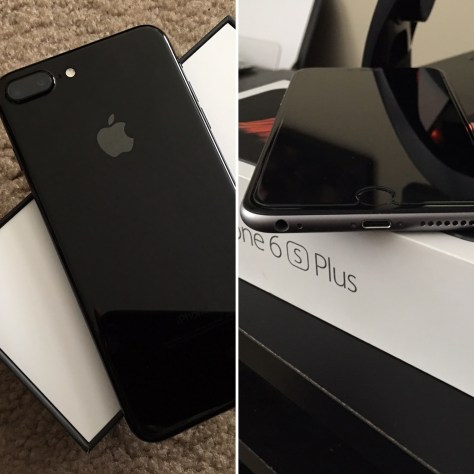
iPhone 7 Plus vs iPhone 6S Plus — Worth It?

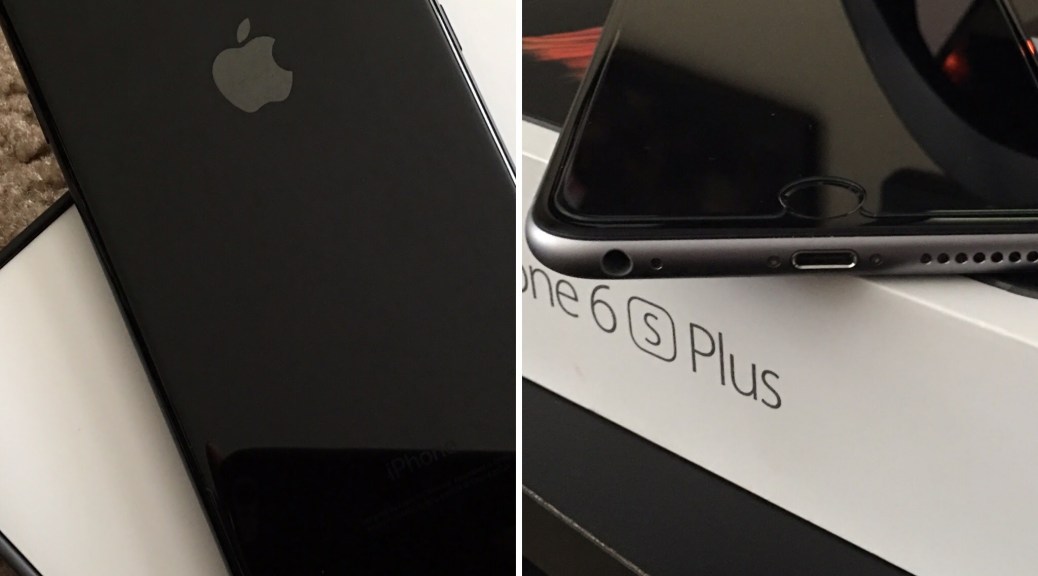
Let’s face it, although Apple wants you to buy each iPhone every year, most consumers simply don’t — but there are some year over year upgrades worth the Apple tax?  In some cases yes and overall the iPhone 7 Plus is the perfect incremental upgrade to it’s successor.
(Source: Apple)

Water Resistance
The iPhone 7 and 7 Plus are rated IP67 under IEC standard 60529 — making it splash, water and dust resistant — a first for an iPhone.  Although the 6S and 6S Plus do not have the official IP67 rating, tests have shown that it is largely unfazed by water.  What do all of these numbers mean?  Simple.  Rain storm and need to make a quick call — your phone will survive.  Dunking your phone (accidentally) into the toilet — your phone will survive.  Taking your phone to a beach — your phone will survive (Note: salt water is not good for any smartphone).  These are just a few of the circumstances that bringing your phone to is now something that you need not worry about.
Dual Cameras
The camera on the iPhone has always been the industry standard even when other smartphone cameras pull more pleasing images at times (Samsung Galaxy devices and Google Pixel).  This phone is no different, the iPhone 7 Plus with it’s dual lens setup takes gorgeous pictures at 12 megapixels and has a telephoto lens that allows you to crop in without losing any quality (usually you use digital zoom, which creates a grainier image).  Additionally, Apple touts it’s latest software miracle in “Portrait Mode”, which is only available on the iPhone 7 Plus and this creates a stunning bokeh effect that when done properly blurs the background of the image and leaves focus on the subject almost flawlessly.
Enhanced Screen Quality
With the iPhone 7 Plus the screen quality is upped from the previous years model.  Looking at the display, you can immediately notice the difference in any object that you seen on the screen.
2024ABCC-28AE-4CC9-96C7-0CB8618D6BFB.jpg
Left: iPhone 7 Plus, Right: iPhone 6S Plus
Stereo Speakers
Every phone should have stereo speakers!!  That’s right — after this device is is unacceptable for a device to be released without stereo speakers.  On all previous models of iPhone, it has featured a single downward facing speaker.  Now in addition to the downward facing the earpiece is additionally a speaker — which gives a much fuller sound that the previous models.  You would think that an additional speaker doesn’t make a big difference but it does and the entire device illuminates with sound.
(Source: DHTV – Dan)
Speedier Processor
A10 Fusion, this new processor in the iPhones 7 are noted by researchers as blowing away the competition and upon release is the fastest SoC put into a phone.  Day to day, it’s tough too tell how snappy the device is, as iOS devices have and maintain high performance consistently.
Taptic Home-Button
Literally my favorite part of the device!  Upon my first hands-on with an iPhone 7 and 7 Plus I was taken back by the taptic button and it not being a button, being more of a circular trackpad.  I must say that it is phenomenal.  Removing a physical home button from the device removes yet another potential point of failure since the old button was mechanical.  The new home button is a miniature force touch track pad that simulates a click, whose sensitivity can be changed through settings.  Additionally, there are taptics (vibrations) that occur all throughout the operating system of the new devices, which further heightens the experiences of iPhone 7.  Examples are scrolling through calenders, clearing all notifications and more just feel different and more immersive on these new devices.
(Source: 9to5 Mac)

Overall
I know what you want to hear…  Are the iPhone 7 and iPhone 7 Plus worthy upgrades?  Yes and no.  Cameras are driving factors in smartphone purchases and if you want class leading camera performance (the non-plus model gets OIS this year) it’s worthy.  In addition, having the latest and greatest gives you the new A10 Fusion SoC with peace of mind that the device will be able to handle the latest round of even more demanding apps.
However, if you’re looking for an all new redesign then no.  However, if you have a 6S or 6S Plus and you get the 7 or 7 Plus, you will not be disappointed in this great device.

Late 2016 MacBook Event Recap

“Hello Again” it’s happy time again in Cupertino with another event from Apple all about their infamous Mac product line.  We’ve been expecting a lot, hearing a little through the rumor mill and more — but what did we actually get?
General Updates
Let’s start with a review of what’s been happening in the world of Apple.  iPhone is doing extremely well with adoption of iOS 10 already at 60%.  Recent updates have enabled portrait mode on the iPhone 7 Plus and Apple Pay in Japan.  Additionally, on October 28th a new Nike branded Apple Watch (announced in September) will be available.  Apple TV now has 8000 apps available to it’s userbase with the popular game, Minecraft, coming to the big screen soon.  New features that are slated to hit boxes before the end of the year are Twitter integration into NFL and NBA coverage, which features a picture in picture styled approached that delivers rich Twitter content regarding the event that’s happening on the large portion of your screen.  A new app called “TV”, which will be coming to the Apple TV, iPhone and iPad seeks to bring into focus all things that you are watching across all of your apps so that you have a centralized “hub” for your media content and new ways to discover content that you may be unaware of.
But you want to hear about shiny new MacBooks, huh?  Well you’ve drug it out of me…
MacBook Updates
The new 2016 MacBook Pro will come in two sizes, 13″ and 15″ featuring a beautiful aluminum unibody design in silver and space gray color options.  As with other items in the Apple lineup, the screen will feature a wide color gamut resulting in a more vibrant and accurate display.  Important to note is that these are some of the thinnest and lightest laptops ever made by Apple with the 13″ MacBook Pro weighing 3 pounds and the 15″ weighing 4 pounds respectively while shaving up to 3 mm of the thickness with the lid closed.
Specs of Late 2016 MacBook Pro lineup as of October, 2016.
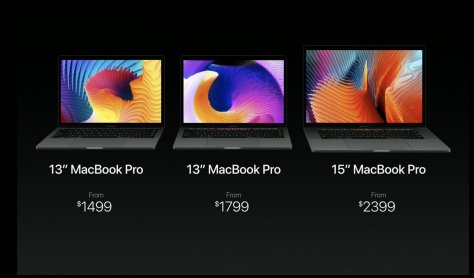
With new internals that match the sophisticated look, there is also a new feature called “Touch Bar”, which replaces the standard function keys on the two top-end models of the MacBook Pro.  The new notebooks will utilize AMD’s Radeon Pro graphics architecture (15″ model) , which is built to improve upon performance achieved by the last generation MacBook Pro line.  With all of these new features squeezed into a smaller more lightweight body, battery life will not be sacrificed as users can still expect to get 10 hours on the device.  Prices of all MacBook Pro models are shown below.
Late 2016 MacBook lineup as of October, 2016.
Prices of Late 2016 MacBook lineup as of October, 2016.
Touch Bar
Touch Bar is a new spin on the standard row of function keys that we’ve been used to for years — and this spin isn’t a bad one (or at least not awful).
MacBook Pro Touch Bar.
Touch Bar acts as functions keys; however, it is dynamic and shifts to help you control whatever app you are currently in.  If you are editing clips using Final Cut Pro, Touch Bar can allow you to trim clips, scrub the timeline and more.  For those who love to work in Adobe Photoshop, Touch Bar can apply filters, navigate between layers and scrub through all recent changes to your project.  Additionally, for the deejays out there, Touch Bar can completely change the workflow of mixing and take your abilities to a new and different level.  In addition, built into the bar is TouchID, which can be used for Apple Pay.  Finally, for all of the power users, Touch Bar can be completely (yes, completely) customized to your liking by simply dragging a new icon onto the bar from the screen of the MacBook using the trackpad.

Product Video (Source: Apple, Youtube)

Bottom line:  This is a solid update for the MacBook line.  Some are left wondering where are updates to the iMac, Mac Mini and Mac Pro — yes, I am part of that group.  I wonder if the Touchbar wouldn’t be more useful at the bottom of the keyboard so that the user doesn’t have to constantly reach to the top of the keyboard.

Huawei Honor 8 Hands-on

A wonderful glass back and a crispy 5.2″ screen.  Can we ask for more?  Yes, but this phone just feels right.
Enter Huawei Honor 8.
Huawei Honor 8.
Huawei Honor 8.
While I was unable to put this phone through it’s paces, from what I can tell, the software experience isn’t bad.  Although this is a skinned version of Android the UI still feels snappy and most applications load swiftly after pressing on the icon.  Huawei does not feature the app drawer that is common to Android, instead, it places all icons and widgets on the homescreens that are offered.  This device could be a could entry into the ecosystem of iPhone users that are accustomed to this type of setup.  In addition, while the software features are light, Huawei seems to have executed these additions tastefully as with it’s take on the notification pane.
Key specs:
  • 5.2″ screen
  • 1080p resolution
  • 1.8 GHz octa-core processor
  • 4 GB RAM
  • 32 GB internal storage
  • 12 MP rear & 8 MP front cameras
Huawei Honor 8 notification pane.
 The camera, which is becoming more and more the most important feature of a smartphone, captures great shots and the front facing camera features a beauty mode that seemingly transforms the subject.  As with most manufacturer cameras, this was is not shy with throwing features in your face, which is this case are presented well to the user.
The budget sector of Android smartphones is quite competitive and this phone surely competes with the One Plus 3 and others.

Google Pixel First Impressions

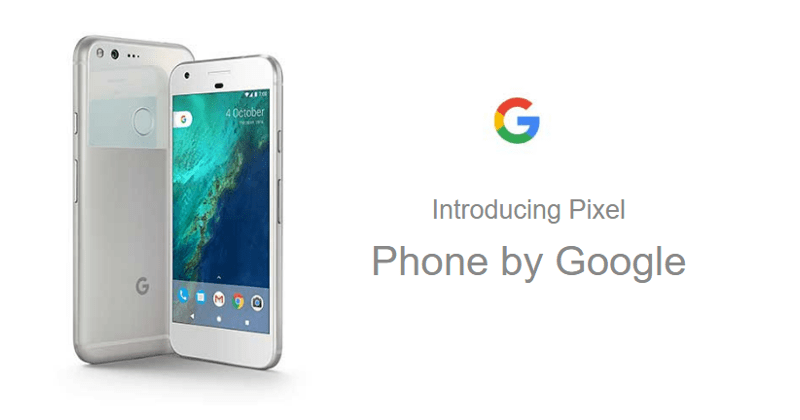
Google’s latest flagship smartphones have been revealed with the monikers Pixel (5″ version) and Pixel XL (5.5″ version). Nexus is officially dead. You heard it here first folks. The Nexus team will still be providing support; however, these phones note the end of an era of vanilla Android goodness and Pixel will take it’s place.

Features:

  • Google Assistant built in with Android 7.1, first device with this software addition.
  • Camera bump gone with a unique tapered design.
  • Best scoring camera of any smartphone….ever.
  • Newly designed Pixel launcher to getting to your favorite apps quickly and accessing Google Assistant in a moment.

Bottom line:  The new Pixel devices from Google seem promising.  Another step at taking back Android from OEMs and making a solid entry into doing that.  With phones made by Google, users can expect a lot more from their devices such as quality support, updates when they are released and non-crippled experience that wouldn’t be bogged down by carrier and manufacturer bloat.