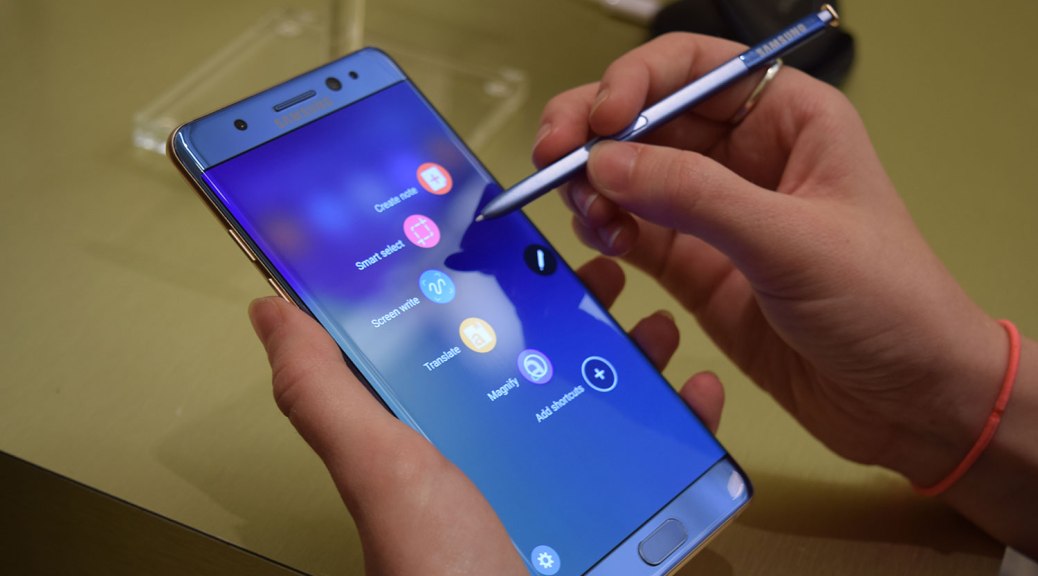
Samsung’s latest flagship device is here, the bold and beautiful Galaxy Note 7 and I’ve had the chance to spend some time with it. Starting at $850 this is one of the best Android devices that money can buy. With that being said, I will break it apart and highlight the good, bad and potential pitfalls that I see in the device. We must remember, that no device is perfect, but it can be “perfect” for us.
Let’s get reviewing, shall we!?
Screen & Body
The first thing that you notice when you pick up the device is how sleek and sexy it is. Yes, devices can be sexy too! The curves on each side of the screen make it rest very well in the palm of your hands and does not appear to be too slippery without a case. Looking around the outside of the casing you can admire the variety of colors that it comes in: Black onyx, blue coral, silver and gold. In short, the blue coral is stunning to see in person — this version has a nice contrast with gold edges surrounding it while the black onyx color way follows up in a close second. When you press the power button, you are greeted by one of the best displays, if not best display, that is on a smartphone. This 5.7″ screen is packing a display at 1440 x 2560 pixels coming in with 518 PPI (pixel per inch) — this means the images you see on the device will be crystal clear with essentially no chance of you discerning pixels with your naked eye. The screen technology is Super AMOLED, which gives you very rich blacks and Samsung usually tweaks their displays to be a little more saturated than others on the market, which will make colors “pop” a little more than usual.

Camera Technology
Unless you’ve been living under a rock, you know that Samsung stuffs some of the best camera technology into a device and the Note 7 is no slouch here. The rear camera comes in at 12 MP with F1.7 aperture. The camera features optical image stabilization, RAW image capture, HDR (High Dynamic Range, just leave this setting on or at least on Auto) and more effects within the app itself. The front-facing camera is a respectable 5 MP shooter that can create a clear image and looks great through the on-screen viewfinder. Through the tests performed, shutter speed is quite fast (note: some Android devices struggle here, the Note 7 is more than capable of taking many pictures in succession). The only issue that could arise is if you are trying to quickly open the Samsung camera app quickly after closing another app, there were a few instances where it stuttered to open from memory; however, once open it performed like a charm. Saved pictures and video look fantastic on the 5.7″ display. Video is also smooth with OIS certainly aiding in any handheld shots that you get. Colors are very vibrant and make any image or video captured look fantastic. If a camera on a device is any driver for a purchase, then go ahead and get that credit card ready my friend.
User-Experience
Samsung is calling the iteration of TouchWiz on the Note 7 “Grace UI” and for the most part it is graceful. Samsung has been scaling TouchWiz back more and more over recent years because of customer complaints and dreadful performance over time. Having a lighter user-interface makes the device perform quicker and usually those performance increases come with a lighter overall “weight” on the outward facing interface. Grace UI is light on it’s feet and light in colors that are easy on the eye. One of the best parts of the Note 7 and it’s UI are the built in “edge apps”. With a quick swipe in from the edge of the screen (can be repositioned in the settings) the user can access apps, contacts, news and more from a pull out on the edge of the screen. If any of you are familiar with the Android app SwipePad, think of it on steroids. Great innovation here by Samsung that makes the Note 7 experience that much better than another rival smartphone and can certainly help to drive the purchase decision — yes, they are that good.
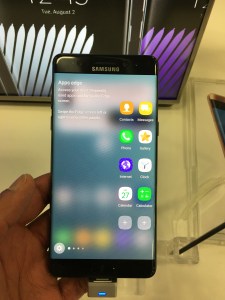
The reason that we buy smartphones are to increase our productivity and applications built into the edges of the display do that and more. The S-Pen, as usual, is fantastic, easy to use and feels great once it hits the screen. Samsung has done a few good things here to ensure that S-Pen use is easy, from making it virtually impossible to put it in in reverse and making the screen detect it’s location mere millimeters away. All writing and drawing with the S-Pen is lag free and keeps you focused on the task at hand.
Another important part of the user experience is going from one app to another in our day to day lives and this smartphone gets the job done with minimal stutter, there is some to be found when opening certain memory-intensive games, opening the camera app, or swiping into Flipboard briefing (which is just awful and should be disabled) from the home-screen, which should be noted.
Take a look at this full review of the Note 7 from Android Authority:
Overall Impressions
Pros:
There are not many bad things that one can say about the Samsung Galaxy Note 7. The device is beautiful inside and out with power, grace (Grace UI) and plenty of features to keep you happy. If you are coming from a Galaxy S5, Note 4 or lower — I’d be confident to say that this is a must upgrade for you.
Cons:
The $850 price tag can serve as quite the significant barrier to entry for some buyers, especially with other high-performing Android smartphones like the Nexus 6P, One Plus 3 and others coming in at $400. Remember that this device comes with a lot of extra features that are useful — IF you make use of them. If you’re looking for just another “big screen device” you can get that elsewhere. Additionally, if you are looking for a lag free device, the Note 7 is not it. While Samsung’s latest flagship offers minimal lag, the weight of the skin and additional apps can show when opening the camera app or opening memory-intensive games.
Bottom line: If the Note series has a feature-set that you enjoy and you are due for an upgrade, this is a no brainier. With a camera, screen, companion apps and set of hardware specifications that are almost second to done, it’s easy to see why this device will sell. Additionally, if you’re just looking for a powerfully monstrous device that will last for years, look beautiful and perform with the best of them look no further — just be ready for your bank account to take a hit.





 DexJohn's PC