Motorola, Samsung, LG, HTC, Huawei, and more apply their own custom user-interfaces atop of the Android operating system. However, the question that should be asked is what is so wrong with the operating system that makes that custom UI useful? Launchers and other interfaces that can be put on top of stock Android can potentially slow down and make for an unstable experience. This is one reason that many users avoid Android is because it looks so different across the manufacturers that Google allows to use it. With the advent of Android 4.0 (Ice Cream Sandwich) Google has told manufacturers that they must keep the original coding their to ensure that apps work properly so end-users (you, the customer) do not suffer in the end.
As a Samsung Galaxy Nexus owner, I have become more and more of an Android purist and these themes and customizations appear more useless and cluttering everyday. The user should decide what their phone looks like and has on it, including the pre-installed bloatware that manufacturers love to put on devices in order to get you to spend money.
Bottom line: Pay close attention to Android devices that are released and you will deem this as an issue to. Simple is best, Android is about customization; but it is best left up to the user.
Nokia has officially been deemed the #1 manufacturer of Windows Phone 7 devices. This certainly comes as a huge surprise for some, since they haven’t been manufacturing WP7 devices for that long and other companies have had a year or more time to fully put themselves into that market.
Samsung has the ONLY WP7 device on Verizon’s network, so for the thousands of users that choose VZW as their carrier this would be their only choice. However, with other carriers increasing their WP7 lineups such as T-Mobile and AT&T we have seen HTC get involved more heavily with large screen sizes and 16 MP cameras. Yet, it seems that design and name prevail in this fight because the Lumia series devices have proved to be the best designed and the only devices to have a real push from the manufacturer.
Bottom line: This is exactly what Windows Phone 7 needs to succeed, they have had little to no backing; no wonder few people know or want to know about this ecosystem. Once the user gets going they can really start to love this beautiful mobile OS.
As we all know the Mac ecosystem is similar to Fort-Knox, they want no one in and will only give you access to what they see fit. So why is it that Microsoft allows this competitor of theirs to virtually run Windows systems inside of OSX?
It seems odd that a company that has already bailed out Apple one time continues to help their ecosystem thrive.
To make matters worse, Office could possibly be landing on the iPad soon. This situation as whole is a little unsettling; does this mean that Apple will one day take the shackles off of some of it’s iOnly software and components?
Bottom line: The PC/Tablet markets are competitive; don’t give your competition leverage.
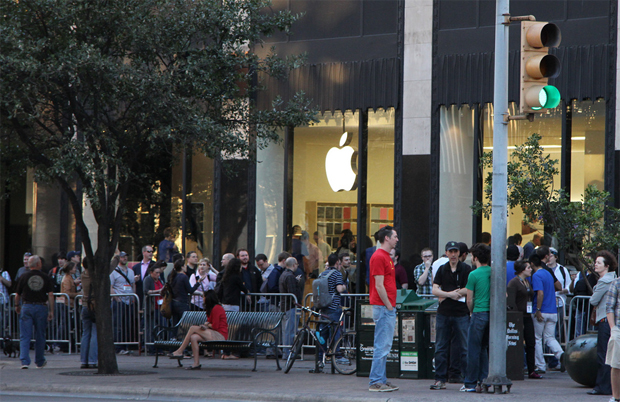
With the release of the iPad 3 right around the corner, many technologists are speculating if the purchase of the new device is even worth it. Honestly, the iPad has everything that the consumers wanted from Apple, except full size ports and deleting the need for unnecessary dongles. The iPad 2 was a decent upgrade from it’s first generation counterpart with the addition of front and rear cameras and slimming down of the hardware. On the otherhand, with these upgrades in place, one can wonder what else can they(Apple) do to this device in order to charge another $500. They might add Siri. Wow.
Bottom line: To buy or NOT to buy; that is the question. Apple is doing their normal scheme of releasing virtually the same product with minimal changes, what will make up the iPad 3? If the addition is menial, which would follow suit, then I suggest you be happy with your second generation iPad.
Have you ever been in the middle of an enthralling text message conversation when you got the dreaded battery low indication? Ever needed to transfer files but did not feel like dealing with messy cables? Sometimes you need to use your phone; but it may be an inopportune time or place. AirDroid is the answer that you have been looking for!
This app found HERE provides you with a direct connection to your android device via you browser. From this convenient window you can send and receive text messages, manage photos and contacts, and even transfer files with no wires. The app works like a charm, the user only needs to follow these simple steps:
Run the application, from there your device will display a web address that will give you access to your device
Enter either the default password or one that you can set
Go to the address on your computer to achieve full access to your device over your network
Bottom line: This is an excellent app that any committed Android user would love — especially useful for those in office settings that do not need to have their devices glued to their hands at all times. However, it would be even better if you could send and receive email via the app is well; maybe in a later version.
Tech for the masses, meant to empower, educate and inform by Dexter Johnson.
 As a Samsung Galaxy Nexus owner, I have become more and more of an Android purist and these themes and customizations appear more useless and cluttering everyday. The user should decide what their phone looks like and has on it, including the pre-installed bloatware that manufacturers love to put on devices in order to get you to spend money.

 DexJohn's PC