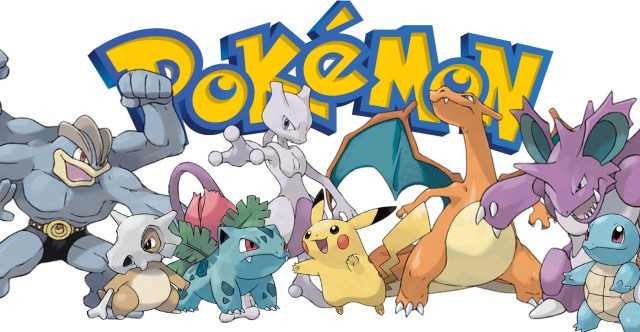
The app that we’ve all been waiting for! Pokemon GO is released to the wild and we can finally catch Pokemon in real life! The fun and adventurous thing about this game is that it is augmented reality and allows you walk around and explore your city and surroundings while catching these cool monsters. Sorry, if you’re expecting to sit at your computer and fool around for hours on end — this app isn’t for you.
View of Pokemon GO gameplay.
Pokemon GO delivers an overall fun experience with chances to meet real life people that are on the same mission as you are, to become a “Pokemon Master”. Check out the wonderful experience of the app, which is available on iOS and Android from our friends at TWiT:
Why do we have computers in our pockets if we cannot increase our productivity? I am all for having a fun game or two, but if your device is just sitting in your pocket collecting dust — then perhaps you should switch back to a feature-phone, eh?
Whether you use Android or iOS, the big players in the productivity app arena are the same and here I will highlight the best cross-platform apps for you to choose from!
EverNote. This utility of all utilities is probably the best swiss army knife of note taking applications there is on the market today. With the ability to clip from websites, send notes via email or phone, adding voice to notes, advanced collaboration features — this one app simply has and does it all! See the power here –>
TickTick. Need a to do list application? This is for you. Google sign in, sync accross multiple devices, web interface and multiple lists that you can track — need I say more?
Buffer. Have multiple social media accounts that you want to manage and manipulate at one centralized location? Buffer has the tools to allow you to do that. In addition, you can track the success of what you share and schedule when your posts go out! Nothing short of excellent.
LastPass. Password managers are abundant nowadays, but with password generation built in and over the top security being used to secure your credentials, look no further. The iOS app even allows for unlocking the password vault with TouchID to ensure the most security on your device.
BetterNet. What is BetterNet? It is a cross-platform VPN client that will secure your data as it’s transferred over the internet. More important is that you secure yourself when you are on a network that you are not familiar with (ie. Starbucks Wifi, Airport Wifi, etc) as these are breeding grounds for attack. Some believe that VPN does not work and does not conceal you data, tell the non-believers that they are 100% wrong not even ISPs can tell what you are sending because it is through a secure tunnel. (end points does not equal packets) Want to know why you should have and utilize VPN?
These top productivity tools are sure to brighten your technological day! All of these have equal iOS, Android and Chrome counterparts!!
So, when I am served ads in Google Chrome and other Google products, I understand, why because I’m feeding Google my search information, they don’t sell it –regardless of what you may think; however, at least I am getting something out of it, free software products. The issue here is when I am seeing a random ad in my Twitter or Instagram timeline, it is literally enraging. From sports ads to random apps that “I should” install are what I am presented and every time I click “I do not want to see this”.
Why do we see ads? That is the question. Simple. Companies that we are engaging with need to make money and money is made by ads being served, it helps the developers and companies continue forward and provide us with an app and service that we get to take advantage of — for free.
Does this mean that all companies are out to get you and your information? Yes and no. Most companies that retain your information for their use will formally let you know in the EULA’s (End User License Agreement) but I guarantee that you’ve never read one from end to end. Let’s start with Google for example. Google built their company off of the promise “Don’t be evil” — I won’t explain it here, just look it up. However, more and more that statement is becoming murkier and murkier and users complain that their data is being compromised; yet, let’s look at it a bit deeper, shall we? There are many companies whose names that we do not even know that track our every grocery bill and more; however, when we have an accessible company such as Google, we automatically assume that their are harboring data and selling it to everyone. I will tell you, yes you, that you are wrong. Google serves you ads and recommendations only off of information that you provide and only that way are they able to provide useful information and products in return. Let’s make the comparison here, the toolbar that you installed on Firefox or Internet Explorer will gather information and shoot it to a company you don’t know. Google on the other hand records your searches, reads your emails (which all email clients do, trust me) in order to provide you with useful services for free. Google Now, one fantastic service would be rendered useless if Google didn’t have that information. That boarding pass that has flight information, you’d never be notified when you got near the airport. That meeting that is scheduled for tomorrow, you’d forget about it if it wasn’t added already to your calendar. That ad for soap you saw that links you to Amazon, wouldn’t be fueled if you hadn’t searched for it.
This is information that you are providing and it only makes your experience better. Still unsure about Google’s privacy policy? Go here https://privacy.google.com/ and learn more, in fact all companies providing you free information and services you should examine their policies, that is even if they are as readily available as Google’s. Bottom line: Don’t be afraid until you know. You should want to know.
So you’re looking for an unbelievable typing experience? Look no further than GBoard, by Google for iOS. Combining swype, Google search and ease of use, this keyboard is heaven-sent.
Installation
As with most apps on mobile operating systems, installation is quick and easy — GBoard is no different. On iOS you are greeted with setup screens which guide you through the proper ways of granting the app the needed access. From there, the app is setup and ready to use. In fact, I’d go the extra mile and remove the English keyboard (usually set as default) — this can be added again later if you want. (Note: Password entry is still limited to the iOS stock keyboard for security purposes.)
Day to day use
Nothing short of a dream. Coming from a generally superior typing experience on Android, the iOS stock keyboard has always been missing something and other keyboards that I tried just missed the mark.
If you’ve felt the same way, GBoard is for you. One of the best typing experiences on a mobile platform, ever.
Bottom line: Usually I give some middle of the road answer. There is no middle road here people, download the app.
More and more we are witnessing opinion pieces regarding the state of Android and the fact that updates (or lack thereof) puts Google’s mobile operating system in a bad place. Here are the facts, if you do not have a Nexus branded device (a Nexus device is a consumer focused smartphone or tablet that Google partners with a OEM to create) you may not ever receive an update. Samsung was notoriously bad for withholding OS level updates, which increase security and performance, from it’s devices — it has gotten better and in most cases many of the more popular OEMs have gotten better at providing updates to it’s consumers. Android updates pictured visually.
Let’s break down the current statistics on the version of Android running “in the wild”, please note that these numbers are based off of devices that access the Google Play Store.
The question here is, “Do operating system updates matter to the end consumer?”. I will answer here bluntly — yes, a resounding yes. Anything that potentially has the means to improve security, performance and overall stability of a device for free — you as a consumer should care about and not push away as if it is so annoying that you cannot standby for 5 minutes without your device to install the update. One of the biggest issues is that the update process for most devices is painfully slow and arduous, partially due to carriers and partially due to the fact that OEMs continue to muck up the operating system with unneeded skins and apps that take away from the experience that Google has laid out by the reference device line — Nexus.
There is an interesting article on ZDNet that notes that “no one wants yearly Android releases” (find it here) that notes that the interest in updates has weakened. TLDR; no one cares about the updates, OEMs only want to sell devices, carriers care about you giving them money, developers want to sell apps and Google only cares about new devices accessing the Play Store (note these opinions come from the article and are NOT aligned with how I feel about the Android udpate issue). This is a fairly poor opinion to take on the system updates issue because it is clear that Google also wants consumers to be safe, hence why there are monthly security patches that are pushed out to devices. The problem? Only Nexus devices and the latest devices seem to adhere to this promise of the updates (even Samsung is getting better).
What about everyone else? Sorry my friends.
When it boils down to it, the update process on Android is seriously flawed, seriously. Google has tried to make it better; however, sadly, it is too little too late as this should’ve been properly thought of and scaled out during the beginning phases of the operating system.
Bottom line: If you want to have the latest version of Android either buy a Nexus device or always purchase the latest and greatest device. I will strongly argue that security, performance and stability are a must; however, it is clear that not everyone shares this opinion.
Tech for the masses, meant to empower, educate and inform by Dexter Johnson.



 DexJohn's PC