Tag Archives: google

Chromebooks are they worth it?

Google’s Chrome OS; it certainly is a unique thing isn’t it  or is it?

Chrome OS, which is available on different Chromebooks and Chromeboxes are essentially a browser based operating system that enables the user to live in the cloud and function in an integrated manner with all of Google’s services and applications.

Why would I ditch Windows or OS X in favor of a browser based operating system?

Simple, Chrome OS is designed to work exactly how you want it to.  For some of those who simply use the internet to check email and browse social networks there is absolutely no better solution than having a Chrome OS device, especially if you would love to have a physical keyboard — something that tablets lack.  In addition, if you are a power user that is in the market for a second device that can be functional, lightweight and ultra-portable, then this device could be for you as well.  There are numerous Chrome OS devices on the market, highlighting that is the Samsung Series 3 Chromebook that happens to be the number one selling laptop on Amazon:

Samsung_Chromebook_front_webresThis device has a very affordable price-point of $249 and is available at a number of retailers online, Best Buy or Staples.

Chrome OS comes complete with all of the features of Chrome that you love on a functional laptop machine.  You want apps?  Get thousands from the Chrome Web Store.  You want a fast boot time?  Open the lid.

Chromebook informational commerical:

Bottom line: Chrome OS on a Chromebook is a wonder to dive into and fully enjoy.  Remember that there is a Chrome OS device or Chromebook for everyone and all are great functioning devices.  I whole-heartedly recommend this great device, truly a traditional laptop replacement.

Google Wireless, Please Save Us

There have been talks of Google creating their very own cell phone carrier — yes, I kid you not.  However, they are just talks and no real evidence exists, yet.

Why would this be beneficial?

  1. It would make carriers offer fairer data plans if Google chose to go the unlimited route.
  2. Carriers and manufacturers would need to work together harder to deliver updates that we should have to our devices.  To put it simply, if an update is released by Google to the Android OS, there is no reason why you shouldn’t receive it — unless your phone doesn’t meet specifications.  Google does not update Android for it’s health; they update this mobile operating system to stay relevant, fix security issues and to make the user experience better — for YOU.
  3. This would create more innovation and competition in the mobile industry, which Verizon and AT&T securely have a tight grip on the reigns.

google-free-wifi


Bottom line:  Google the industry needs you.  I will drop Verizon in a heartbeat if a Google Wireless announcement is ever made.

Android Custom ROMs

Android, probably the most powerful mobile operating system on the planet, is great for numerous reasons:

  • Customizations to make the device yours
  • Great multitasking
  • Fully integrated with Google services
  • Many different OEM custom skins to suit everyone

However, there comes a time that users want to do a little more and have full control of their device.  So, what is done — we root.  Why do people root their Android devices?  Here are just some of the reasons:

  • Backing up apps and data
  • Tethering
  • Ad Blocking
  • Removing carrier bloatware
  • Wireless and network tricks 😉

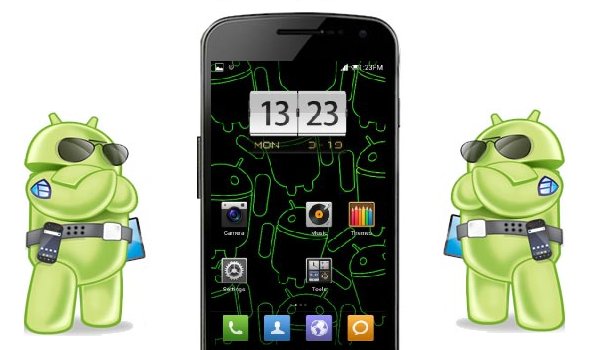
Also, with a rooted device means that your bootloader is also unlocked so that you can flash custom ROMs to your device.  A custom ROM is essentially the Android operating system from Google that a set of developers have taken and added their own custom tweaks for speed, functionality and differentiation.  Custom ROMs can improve on battery life, allow you to customize your phone to a completely different degree and give you an overall great experience.

galaxy-nexus-customROM

With so many ROMs to choose from, which do I prefer?  Well, on my Verizon Galaxy Nexus there have been over 100 ROMs flashed from the popular Cyanogenmod, AOKP, JBSourcery and more.  See below for a brief analysis of the top trio:

  • Cyanagenmod — This ROM is probably the first custom ROM that any root user learns about and becomes enthralled in the sheer number of customizations that are available to you.  However, in my experience I have seen that all of the options in this ROM absolutely destroyed my battery life and made the device quite slow.
  • AOKP — After a stint with Cyanogenmod, I switched to AOKP and fell in love with the customizations and stabilty of the ROM, there is not a lot (if any) bugs in this ROM.
  • JBSourcery — this is the most stable highly-customizable ROM that I have ever ran on the Galaxy Nexus, includes a JBSourcery Tool Center which offer complete manipulation of everything about your device.

So, which custom ROM is the best?  That is a question that you must answer.  Go forth and flash away my friends!

Visit RootzWiki for Android custom ROMs and kernels.

Bottom line:  The world of hacking, modding and flashing new firmware to your device is fun and it is great that Google allows us to do it!

Google TV Review

At this point there are more cord-cutters than ever and there are now more options of retrieving media via the web.  With options such as Roku, Boxee, Apple TV and others what makes a device with Google TV installed so special? There are two basic avenues to getting Google TV, either you can purchase a TV with it installed or you can get a set top box with it installed and hook it up to a non-internet enabled TV.

Typically the Google TV experience that I have seen and witnessed is pretty vanilla and straight-forward.  The latest devices are running Android 3.2 and hopefully will be seeing an update soon.

Setup.  Setup of Google TV is simple, just as easy as you would setup a new Android device with signing in to your Google account and restoring apps — this is no different.  In addition, Google TV not only works alone, it works with your existing cable connection and HDTV.  That is right.  Not only can you benefit from just having this set top box alone, which is a viable option, adding cable just makes your experience better by actually being able to search content from your service provider, searching and still watching your favorite shows using PIP and more.

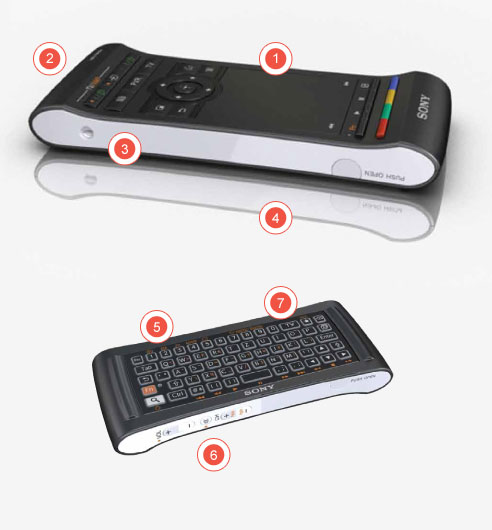
Day-to-Day Usage.  Using this player is just like using a Roku or Boxee Box device; however, the caveat is that these devices lack a customizable operating system beneath or “flow” from one to another; plus there is no full-featured Google Chrome.  Google TV devices come with the Google Play Store, which allows you to download any app compatible to your device.  That is includes Netflix, Flixster, YouTube (more on that later) and more.  Android on a TV is unlike anything that you’ve ever experienced — simply amazing.  Not only is the transition from app to app fluid and simple, the controls on the remote mimic Android on mobile devices, as they should. google-tv-remote

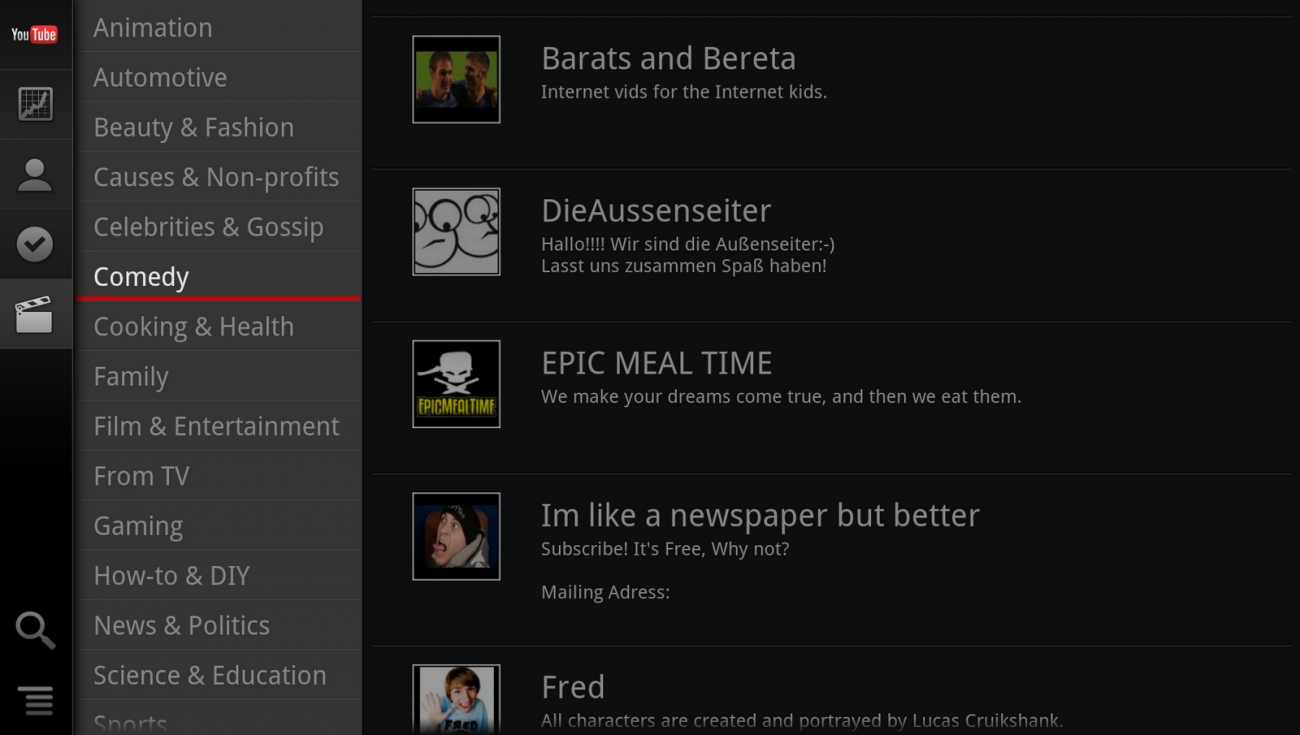
Apps.  To start, there are over 700K apps available on the Google Play Store for your devices; however, for this device, there are only a few thousand available.  Now, it is arguable how many apps do you really need for a TV?  Mainly, you need media consumption apps — not Cut the Rope or Angry Birds.  The apps that are available make this an extremely functional device and once you have it in your living room it’ll be there to stay.  YouTube on the Google TV is simply put, the richest YouTube experience on a TV – period. YT_GoogleTVFrom the ability to stream every video in your subscription box, the user has full control to give ratings and also view video information; all in excellent HD resoltion.  Netflix is no slacker here either — the UI is far greater than the experience on the Roku player.  It is not like the content increases, but the manner in which Netflix for Google TV delivers it is the key.  Also, Google Play Music and Movies are available, which just makes this box even more “Googley” so all of that music that you have uploaded and those movies that you have purchased are at your fingertips for the first time on your TV.

Just the above four apps alone make this device worth the $175 that you can purchase it for; Target even had it for $129.

Bottom line:  If you are a Google-centric person a Google TV is a no-brainer, especially the model I chose — Sony NSZ-GS7 Internet Player with Google TV — buy [HERE]

sony_googletv

Is Online Privacy a Thing of the Past?

With our data being pinched at by every company under the sun, many just assume that there is no such thing as privacy on the internet anymore.

Is this over-generalized statement true?

Yes and no. There is privacy to be had online, the key to obtaining it is to not use the web or interact on social media. That means no Twitter, Facebook or Instagram for you. Not only can you not use social media, how would you like to stop using cloud services such as Dropbox or your favorite and arguably the best email service, GMail.  If you fret about privacy — online is NOT where you want to be.

However, at the price of disclosing information about yourself to certain trusted services, which typically force you to agree to the terms of the service, you get to use the service for free.  Examples include every Google service, every social network, any online shopping destination and more.  However, web services collecting information about you and your data (surfing habits, email, articles in your email and more) only make your experience better. How? Instead of getting ads that do not relate to you, you can have ads served that actually make you want to click or entice you to try a new product that you’ve been looking for. In addition, if you’re in the Google ecosystem user your shipping information can be pulled from GMail so that you can track your packages easier, your emails can be monitored for spam or Google Now can tell your how far you are from work and let you know how light or heavy the traffic is. Now those are details that you should want to know! Just think, by you providing a little bit of your data you get a great user experience in return. So, why the bellyaching?

privacy1

Bottom line: Unless you want to lose free and convenient services on the internet, you might want to think twice about complaining.