All posts by Dexter Johnson

Technology, style, fitness and health. http://dexjohnspc.com , http://topnotchmalestyletips.com and listen to the Whaddup Tech Podcast http://bit.ly/WhaddupTech

Galaxy Mega…. Too big or too right?

A 6.3″ screen attached to a device that is actually a phone.  Is this something that you’d use?

I have big hands and an affinity for devices and honestly this seems like the perfect device for someone like me.  Personally, I own a Galaxy Nexus and a Nexus 7 — if I owned this device I could seemingly par my load down to just one without carrying a phone and tablet everywhere I go.

On a another note, what really makes this a good device? I’d say it is a combination of it’s form factor, specs and functionality. No device is completely useless — hence why there are so many different sizes, prices and storage capacities of smart phones.  The only cause for alarm with this device is the fact that it has mid-range specs; it is apparent that Samsung is not pushing this as an all-star device — although it has the potential to be.

Bottom line:  This device is an excellent device for someone who is looking for sheer screen size; however, for the enthusiast who wants the fastest mobile processor and the most RAM — look elsewhere.  That being said, my excitement is still high for this device.

Samsung, who do you think you are?

Well, it is done.  Samsung unveiled it’s latest and greatest device yet, the Samsung Galaxy S IV.  However, most of us technology buffs are calling it simply a Galaxy SIII refresh, which is quite accurate when you break it down.  When you place each device face up, side-by-side it is quite difficult for any inexperienced onlooker to determine which device is which.

However, the refresh is not the issue here — it is the fact that Samsung appears to be attempting to create their own brand of apps that seemingly “replace” apps that are from Google.  For example:

  • Samsung Hub
  • sVoice
  • sTranslate

These apps are essentially a spin off of Google Play, Google Now and Google Translate respectively and Samsung continues to develop it’s own apps. However, one must stop and think is Samsung trying to branch off from Google?  It certainly appears that way.  On the other hand, where would Samsung be without Google’s Android that is powering all of their high selling devices?

Bottom line:  Google needs to get Samsung to get their act together, Samsung with TouchWiz is NOT Google Android.  It seems that Samsung may be thinking that it can do “this” without Google.


Chromebooks are they worth it?

Google’s Chrome OS; it certainly is a unique thing isn’t it  or is it?

Chrome OS, which is available on different Chromebooks and Chromeboxes are essentially a browser based operating system that enables the user to live in the cloud and function in an integrated manner with all of Google’s services and applications.

Why would I ditch Windows or OS X in favor of a browser based operating system?

Simple, Chrome OS is designed to work exactly how you want it to.  For some of those who simply use the internet to check email and browse social networks there is absolutely no better solution than having a Chrome OS device, especially if you would love to have a physical keyboard — something that tablets lack.  In addition, if you are a power user that is in the market for a second device that can be functional, lightweight and ultra-portable, then this device could be for you as well.  There are numerous Chrome OS devices on the market, highlighting that is the Samsung Series 3 Chromebook that happens to be the number one selling laptop on Amazon:

Samsung_Chromebook_front_webresThis device has a very affordable price-point of $249 and is available at a number of retailers online, Best Buy or Staples.

Chrome OS comes complete with all of the features of Chrome that you love on a functional laptop machine.  You want apps?  Get thousands from the Chrome Web Store.  You want a fast boot time?  Open the lid.

Chromebook informational commerical:

Bottom line: Chrome OS on a Chromebook is a wonder to dive into and fully enjoy.  Remember that there is a Chrome OS device or Chromebook for everyone and all are great functioning devices.  I whole-heartedly recommend this great device, truly a traditional laptop replacement.

Google Wireless, Please Save Us

There have been talks of Google creating their very own cell phone carrier — yes, I kid you not.  However, they are just talks and no real evidence exists, yet.

Why would this be beneficial?

  1. It would make carriers offer fairer data plans if Google chose to go the unlimited route.
  2. Carriers and manufacturers would need to work together harder to deliver updates that we should have to our devices.  To put it simply, if an update is released by Google to the Android OS, there is no reason why you shouldn’t receive it — unless your phone doesn’t meet specifications.  Google does not update Android for it’s health; they update this mobile operating system to stay relevant, fix security issues and to make the user experience better — for YOU.
  3. This would create more innovation and competition in the mobile industry, which Verizon and AT&T securely have a tight grip on the reigns.

google-free-wifi


Bottom line:  Google the industry needs you.  I will drop Verizon in a heartbeat if a Google Wireless announcement is ever made.

Android Custom ROMs

Android, probably the most powerful mobile operating system on the planet, is great for numerous reasons:

  • Customizations to make the device yours
  • Great multitasking
  • Fully integrated with Google services
  • Many different OEM custom skins to suit everyone

However, there comes a time that users want to do a little more and have full control of their device.  So, what is done — we root.  Why do people root their Android devices?  Here are just some of the reasons:

  • Backing up apps and data
  • Tethering
  • Ad Blocking
  • Removing carrier bloatware
  • Wireless and network tricks 😉

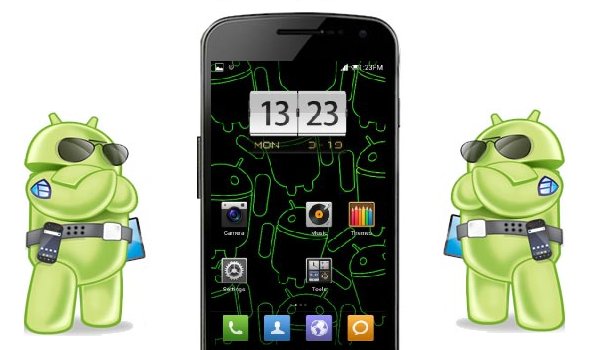
Also, with a rooted device means that your bootloader is also unlocked so that you can flash custom ROMs to your device.  A custom ROM is essentially the Android operating system from Google that a set of developers have taken and added their own custom tweaks for speed, functionality and differentiation.  Custom ROMs can improve on battery life, allow you to customize your phone to a completely different degree and give you an overall great experience.

galaxy-nexus-customROM

With so many ROMs to choose from, which do I prefer?  Well, on my Verizon Galaxy Nexus there have been over 100 ROMs flashed from the popular Cyanogenmod, AOKP, JBSourcery and more.  See below for a brief analysis of the top trio:

  • Cyanagenmod — This ROM is probably the first custom ROM that any root user learns about and becomes enthralled in the sheer number of customizations that are available to you.  However, in my experience I have seen that all of the options in this ROM absolutely destroyed my battery life and made the device quite slow.
  • AOKP — After a stint with Cyanogenmod, I switched to AOKP and fell in love with the customizations and stabilty of the ROM, there is not a lot (if any) bugs in this ROM.
  • JBSourcery — this is the most stable highly-customizable ROM that I have ever ran on the Galaxy Nexus, includes a JBSourcery Tool Center which offer complete manipulation of everything about your device.

So, which custom ROM is the best?  That is a question that you must answer.  Go forth and flash away my friends!

Visit RootzWiki for Android custom ROMs and kernels.

Bottom line:  The world of hacking, modding and flashing new firmware to your device is fun and it is great that Google allows us to do it!