Google’s newest messaging and video chat platforms, Allo and Duo respectively are poised to potentially fail — hard.
Google has Hangouts already, which is almost a complete product;yet, they’ve invested time, development dollars and more on two new separate apps (that are end-to-end encrypted, by the the way). The company is also touting the fact that these apps are “specialized” with the fact that they do one thing. Certainly an interesting notion.
The real issue here is that Google is confusing consumers, they don’t know if they should use Messaging, Hangouts or the new combination of Allo and Duo. Furthermore, we certainly do not know what OEMs will include on the devices that they ship once these apps are live. Will they include the apps made my Google or will they make their own terrible emulations of them (cue Samsung)? THAT is the issue. We need clear direction of where Google and Android want to take messaging as it has been a mess for years with many consumers simply sticking to whatever app is thrown on their device.
With the rollout officially underway, download these from the Play Store or App Store when they are available and give them a try.
More and more we are witnessing opinion pieces regarding the state of Android and the fact that updates (or lack thereof) puts Google’s mobile operating system in a bad place. Here are the facts, if you do not have a Nexus branded device (a Nexus device is a consumer focused smartphone or tablet that Google partners with a OEM to create) you may not ever receive an update. Samsung was notoriously bad for withholding OS level updates, which increase security and performance, from it’s devices — it has gotten better and in most cases many of the more popular OEMs have gotten better at providing updates to it’s consumers. Android updates pictured visually.
Let’s break down the current statistics on the version of Android running “in the wild”, please note that these numbers are based off of devices that access the Google Play Store.
The question here is, “Do operating system updates matter to the end consumer?”. I will answer here bluntly — yes, a resounding yes. Anything that potentially has the means to improve security, performance and overall stability of a device for free — you as a consumer should care about and not push away as if it is so annoying that you cannot standby for 5 minutes without your device to install the update. One of the biggest issues is that the update process for most devices is painfully slow and arduous, partially due to carriers and partially due to the fact that OEMs continue to muck up the operating system with unneeded skins and apps that take away from the experience that Google has laid out by the reference device line — Nexus.
There is an interesting article on ZDNet that notes that “no one wants yearly Android releases” (find it here) that notes that the interest in updates has weakened. TLDR; no one cares about the updates, OEMs only want to sell devices, carriers care about you giving them money, developers want to sell apps and Google only cares about new devices accessing the Play Store (note these opinions come from the article and are NOT aligned with how I feel about the Android udpate issue). This is a fairly poor opinion to take on the system updates issue because it is clear that Google also wants consumers to be safe, hence why there are monthly security patches that are pushed out to devices. The problem? Only Nexus devices and the latest devices seem to adhere to this promise of the updates (even Samsung is getting better).
What about everyone else? Sorry my friends.
When it boils down to it, the update process on Android is seriously flawed, seriously. Google has tried to make it better; however, sadly, it is too little too late as this should’ve been properly thought of and scaled out during the beginning phases of the operating system.
Bottom line: If you want to have the latest version of Android either buy a Nexus device or always purchase the latest and greatest device. I will strongly argue that security, performance and stability are a must; however, it is clear that not everyone shares this opinion.
It has been an interesting journey for me in terms of smartphones, started off with a Palm Treo 650, next to a Windows Mobile device (I know), then the iconic Motorola Droid X, my first foray into Android. From there, I strictly purchased Nexus devices, starting with the Samsung Galaxy Nexus and purchased every one until the the Nexus 6…
So, with me being a huge Android user, enthusiast and aficionado — I decided it was time I stop the ill feelings towards iOS and all Apple devices, although I had respect for them — I just couldn’t like them. What did this mean? It meant purchasing my first Apple device, a gently used iPhone 5s and I enjoyed it, which lead me to sell it and buy an iPhone 6s Plus. Read more about my experience, which I documented, here.
First and foremost, the iPhone is smooth and very consistent in how tasks are done. Although there are sometimes ridiculous workarounds that you must take in order to perform a seemingly easy task on Android, at least it’s consistently ridiculous. Makes no sense right? Read on. I love that Android allows me to essentially do anything that I want to do on my smartphone — it’s a power user’s dream. However, it never feels good for an app to be swift and snappy one day, then have it hang and drop frames the next day. For what? Why? This is one of the things that I have never understood about Android, rather just put up with. For example, let’s look at two comparisons using the same app from each respective app store:
Google Hangouts on iOS opens in 1 second 10/10 times.
Google Hangouts on Android opens in 1 second 7/10 times, crashes once, opens in .5 second once, then takes 4-5 seconds the last time. These are the inconsistencies that I dislike, if the app can open in half a second once, why can’t it open up in that same speed all of the time?
This by no means indicates that Android is a bad mobile operating system; however, me as a critical and analytical user — I expect performance at all times and not just part of the time. This is especially true when it is a Google made app — simply infuriating.
This leads me into another point about the distinct difference between iOS and Android. iOS is touch first, while Android is process driven, which at times can cause a stark difference in behaviors.
Second, the iPhone is extremely optimized for the hardware. This does not take a rocket scientist to figure out; however, when things “just work” — I hate that saying, but it actually applies. You open an app with a expectation and usually it is met. One thing of importance here is that on paper the iPhone is not superior to even some mid-range Android devices; yet, it somehow outperforms most, if not all of them. For the longest, I could make almost any phone lag or experience latency, yet with my curreny device (which ALL smartphones experience lag) the latency is minut and not particularly stretched for long periods of time. With that being said you wonder how could a seemingly underpowered device compete and other times best a device with desktop like specifications? Most Android phones that you want to buy are shipping with configurations of 3/4 GB RAM and for them to still have issues in memory management is mind boggling. Yet, this leads me to question the architecture of the mobile OS itself. Being a Linux user, I see it consistently powering machines and managing resources extremely well, in fact much better than the other two big desktop OSes, but Android which is based off of the Linux kernel strays at times. This would infer that at some point during intial design of the operating system something got off.
Lastly, because of iOS, I am actually tinkering my phone less and less. Let me premise by saying that I work in technology, in operations. If anyone has ever been in an operational role — you know you are playing firefighter and I do not want to fight fires on my phone. I simply want to use it and put it away.
Bottom line: I cannot tell you what the best phone in the market is because instead of being the best, each of the top devices exemplify a quality that is the best versus having all qualities that are the best. I will say one thing I think is the best, Google’s services. So, regardless of what device I use, this suite of apps will always be on my device: GMail, YouTube, Google +, Google Keep, YouTube Creator Studio, Google Search (Now), Google Hangouts, Google Drive, Google Calendar and Google Wallet.
What happens when you take an iPad Air 2 and beef it up? You get the 2016 iPad Prod 9.7″ with a magnificent display, 4 speakers and better camera technology. First off, the 12.9″ model just doesn’t appeal to me, if the tablet you need is that large, do yourself a favor and purchase a laptop.
Please find a thorough review below from Youtube’s DetroitBORG:
Thin & Light
As with all iPad devices, this one is just like the others, remarkably thin and light yet still feeling substantial in the hands. As an owner of an Apple iPad Mini 3, this seems to be the nect logical step and it is not too big and feels great in the hands. This is in direct conflict with the 12.9″ iPad Pro, which is manageable by someone with large hands like myself — but, this is simply better to use on a table with a keyboard.
A question here is that will all Apple tablets soon become “pro” devices? It is becoming more and more true that with the apps available on the App Store, tablets have the potential to turn into productivity tools given the right size and software selection.
Bottom line: Great feeling device and if you’re up for an upgrade — go for it. The price tag may make some turn away.
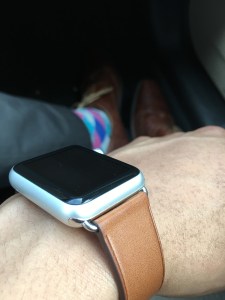
The Apple Watch, some view it as a fashion piece, others view it as a great notification center that allows for your phone to stay in your pocket thus making you more productive. In addition, some view it as a tool that should be used almost as a standalone device itself — either way, wearable technology is here to stay and this is one product that does a lot good while being slightly confusing at times, too.
Build Quality:
The Apple Watch comes in two sizes, 38mm and 42mm in 3 materials: aluminum for the Apple Watch Sport, stainless steel for the Apple Watch and 18-karat gold for the Apple Watch Edition. Size and composition make no difference in performance or OS setup on the watch — these are the same across the board. Other than that, I was concerned about the dial (dubbed by Apple as the digital crown) getting in the way and did not think that it would be useful at all; however, for creating watch-faces and manipulating the time forward or backward to view events past or present — it is useful and consequently your only choice. In addition to creation and time travel, it also serves as the Apple Watch home button when pressed by returning you to the previous screen.
Day to day use:
Using the Apple Watch is a “once you Apple Watch, you don’t go back” feeling and I believe the same can be said about most other smart watches. Having notifications on your wrist is always a big plus and while some find it nerdy or invasive is very forward-thinking. In my case, I dislike constantly taking my phone out of my pocket to see every notification and text. Responding and dismissing items from the watch is quick and easy, although it would be useful if an item could just be swiped away without the need of a confirmation.
Notifications present a very distinct vibration to your wrist without rattling your wrist off in addition to light sounds, which by default are on (you may want to disable these). Apple Watch also fully supports phone calls on the device itself, which I’ve never tried because of my deep Google Voice integration; however, trust me when I say, “it works.”
Like some, I begin my day in the gym and for me, that means steps are being counted, calories and being tracking while being burned and my fitness-self is being pleased. This is one feature that the Apple Watch just does well, even without a GPS, which over half of Android Wear devices don’t have either. Next, battery life is solid with me ending my day with usually 65% or more left. One note about battery life is that it is usually constant without any major variances from day to day.
Apps:
Apps on the Apple Watch automatically sync over upon the first booting and initial setup. Following setup, apps with a corresponding watch app appear on the apps screen after installation. Performance of the apps is not the best, usually performing well after they load, but loading itself is the problem — apps simply load slow. In some respect, I feel as if Apple wants us to engage in long sequences of interaction touching the watch, while I feel like the interface should be for short, quick activities. Both can work; however, app loading time would need to be sped up and further optimized to promote users wanting to interact with apps directly on the device more.
Pros:
Battery life
Standardized watch bands (Other smartwatch OEMs take note, please)
Fitness and health capabilities
Excellent Bluetooth connectivity
Cons:
Costly accessories
Slow loading apps
Takeaways: The Apple Watch is primed and ready to go. With a mostly positive experience, it is difficult for me to speak against purchasing an Apple Watch, especially if you’re an iPhone user — there is simply no better all-around wearable. Continual improvements in WatchOS will further optimize and streamline the experience. Also, did I mention standardized watch bands? These are phenomenal and are easy swappable, making personalizing your watch easy and fun.
Tech for the masses, meant to empower, educate and inform by Dexter Johnson.


 DexJohn's PC